
B501 PreSec Introduction
BASIC
BASIC+
kkkk
PRO
EXPERT
ADMIN
PreSec (Prepared Selection) and hidden PRESEC (Screenshot 1.3) are features developed in NOS (Name of Software) to facilitate work. They allow for the saving and retrieval of inputs and selections.
To effectively utilize these features, I recommend the following best practices:
- Searching for existing selections: The saved selections are organized in PreSec groups. You should identify the appropriate PreSec group that contains the desired selection.
- Loading the selection: Select the desired PreSec group and load the corresponding selection.
- Modifying and expanding: Adjust the loaded selection as needed. You can modify existing options or add new options to tailor them to your requirements.
- Saving the selection: After making the desired changes, save the updated selection. Note that only authorized employees should be allowed to save selections.
Starting today, you should use the following naming convention to organize the PreSec groups:
- Branch + First Name:
- Example: 1010 Helmut
- Here, "1010" represents the branch, and "Helmut" represents the employee's name.
By following this approach and adhering to the naming convention, you can efficiently utilize the PreSec features and optimize your workflows.
1.1
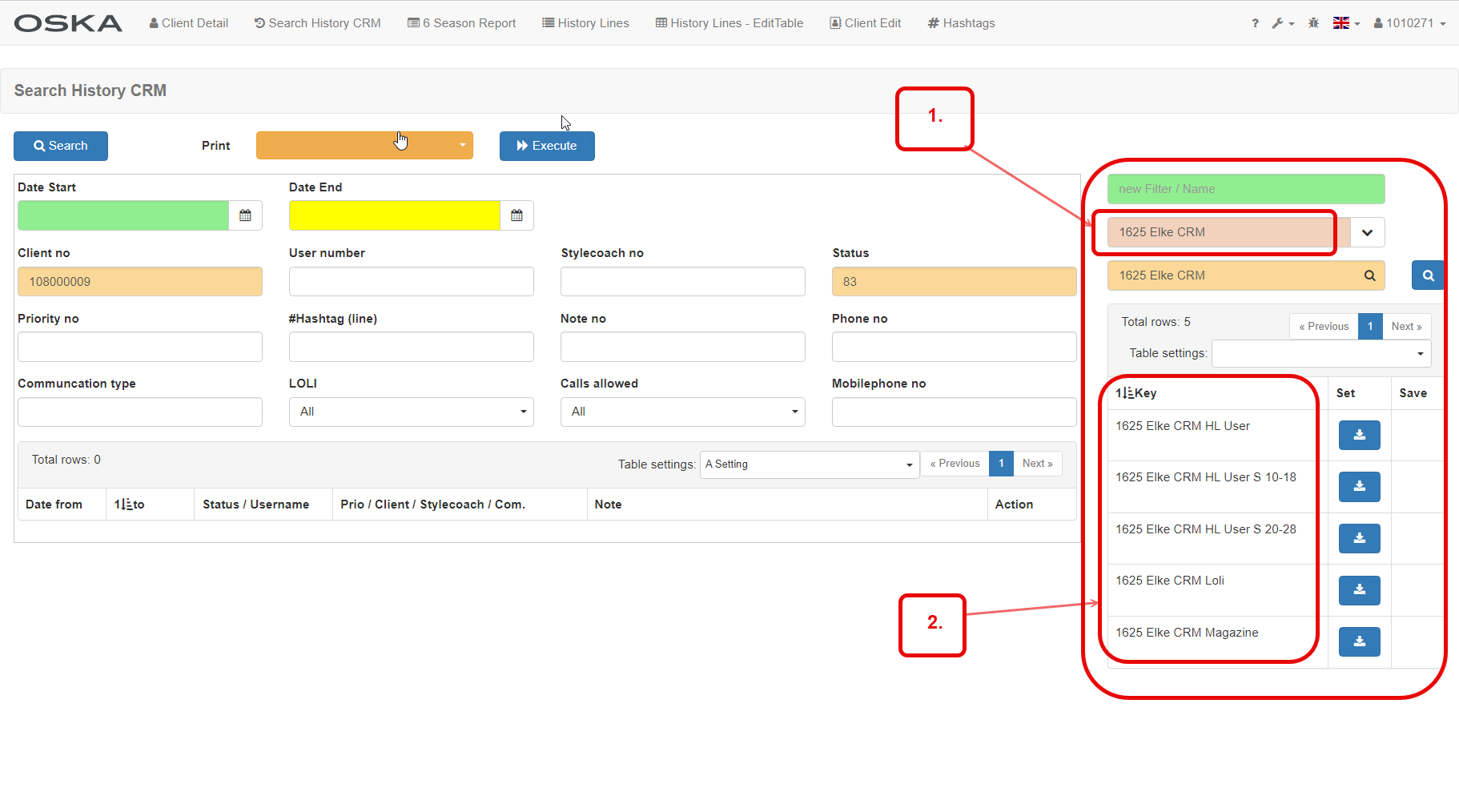
1. PreSec Group
2. Single PreSecs
1.2
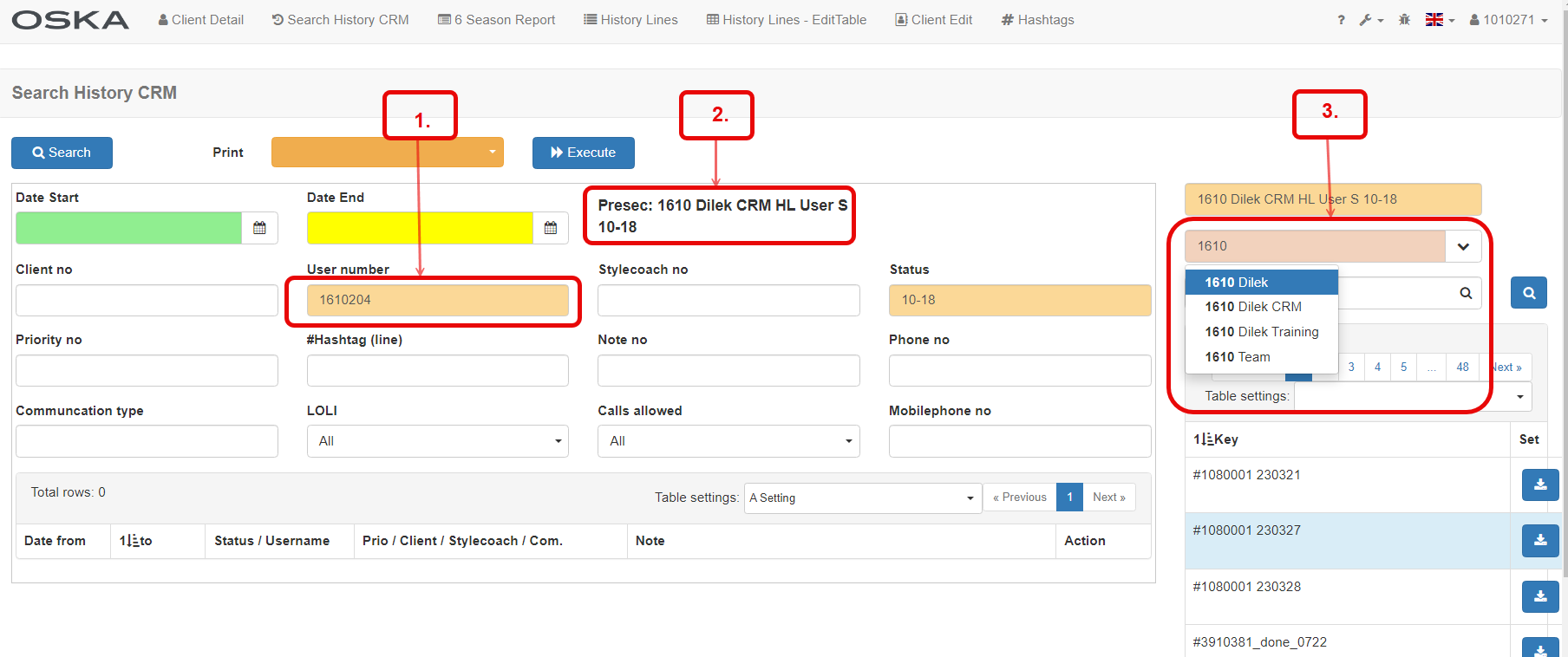
1. Visual Help: fields with a value have a different colour.
2. Loaded PreSec Name
3. PreSec Group Search Results
1.3 Hidden PRESEC
If you find everything empty here, please click on the filter to load the hidden presecs. There you will find the filter "100 CRM Invoice from 2022 (need update 231231)". - Enter this in the search field with the loupe. Then set the whole thing by clicking on the blue "set" field. If you then click on "Load", you can now see history lines, newsletters, invoices or delivery notes - sorted by date from/to. This hidden presec helps you to see the most important information about your customers.

1.4
