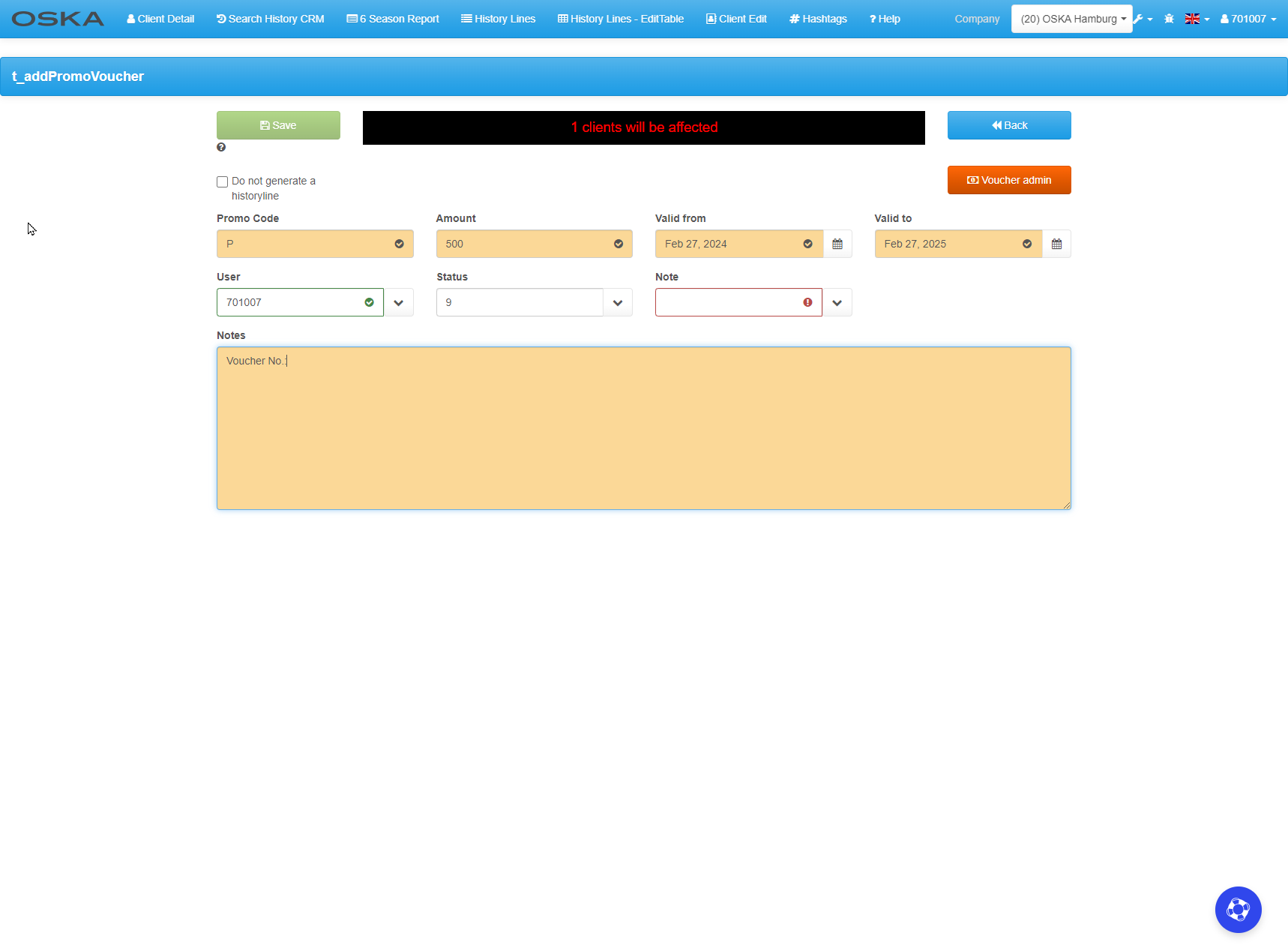
E362 CRM Voucher creation in The Line
CRM Voucher creation in The Line
Generating voucher you can find on https://crmlight.oska.com/anqApp/?#!/CRMLight/→ Client edit → Add PromoVoucher
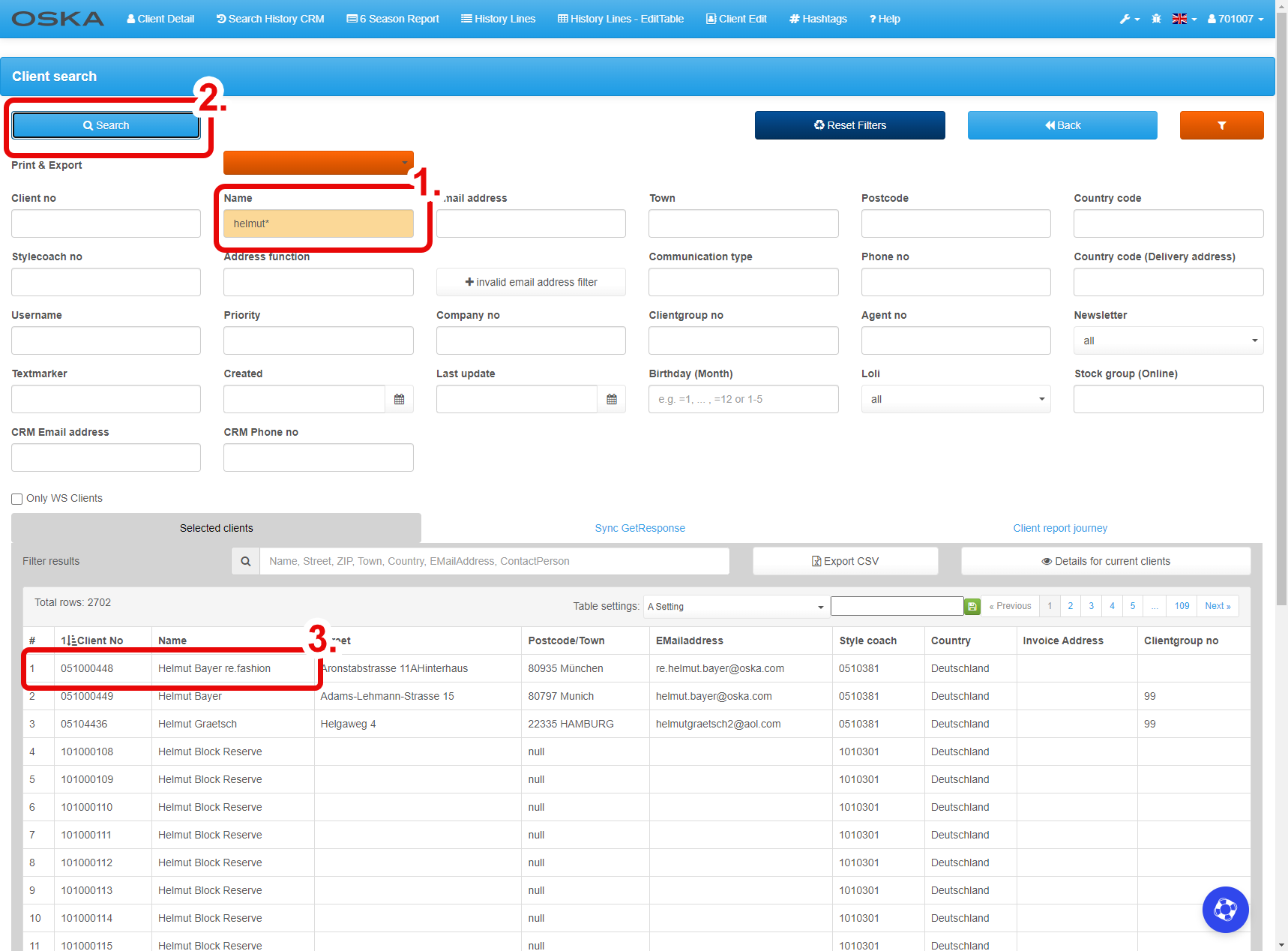
Searching client
- Fill in name/munber client
- Click on SEARCH
- Click on line with client
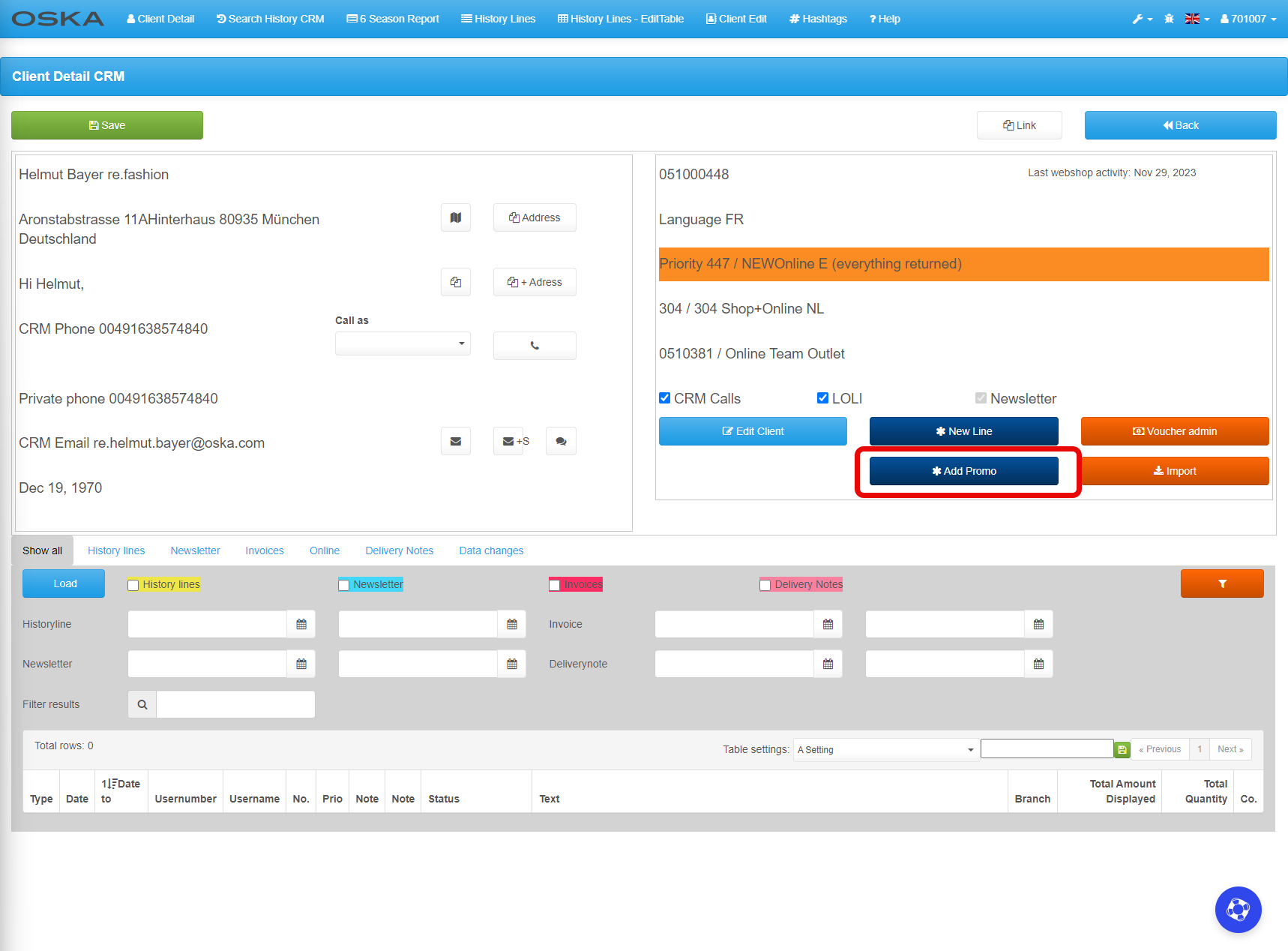
Add Promo voucher
- Click on Add Promo
Add Promo voucher
- Promo code: for ex. P, BDV, etc.
- Amount: value of voucher
- Valid from - to: voucher validity date
- User: the number of the user who creates the voucher
- Status: use status 9
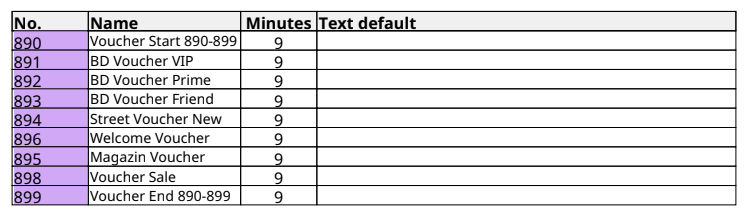
- Note: watch table bello
- Notes: you can insert the text of the voucher here, always write No:. at the end - the voucher number is automatically entered for this connection.