
E203 POS Discounts
1. Explanation of discounts
We grant discounts, i.e. price reductions, for various occasions.
On the following pages you will find screenshots of different ways in which a discount can be given or what a discount can look like.
There is a picture of our campaign traffic light below.
There are different campaigns for different percentages.
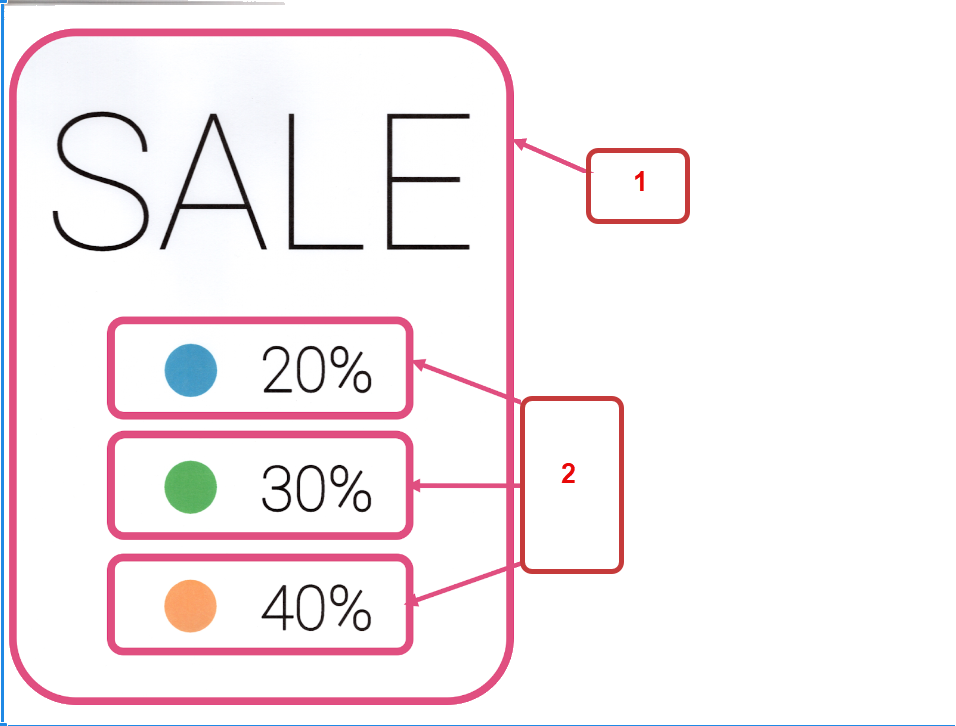
1. Traffic light for the campaign
2. Various campaigns = various discounts
Discount 1 - Campaign traffic light 40%
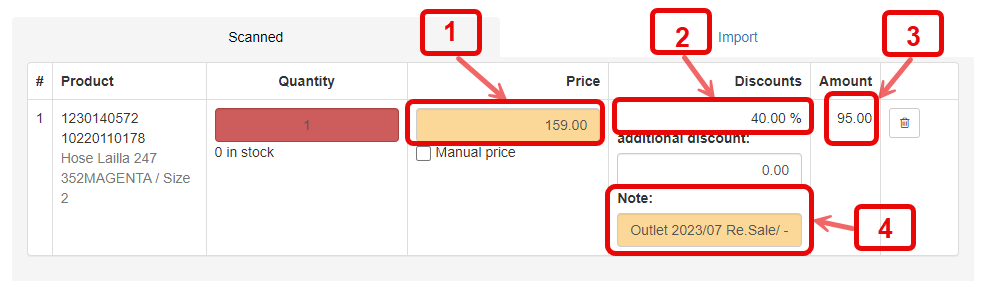
1. Starting price
2. Given discount (here: 40 %)
3. Reduced amount
4. Note: Campaign name
Discount 2 - Campaign traffic light 30%
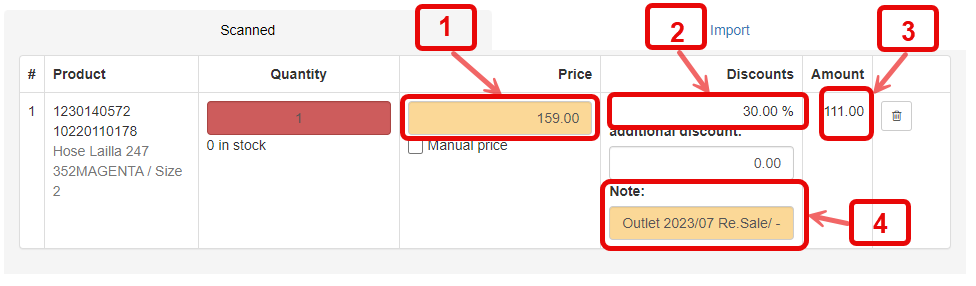
1. Starting price
2. Given discount (here: 30 %)
3. Reduced amount
4. Note: Campaign name
Discount 3 - Gift 100%
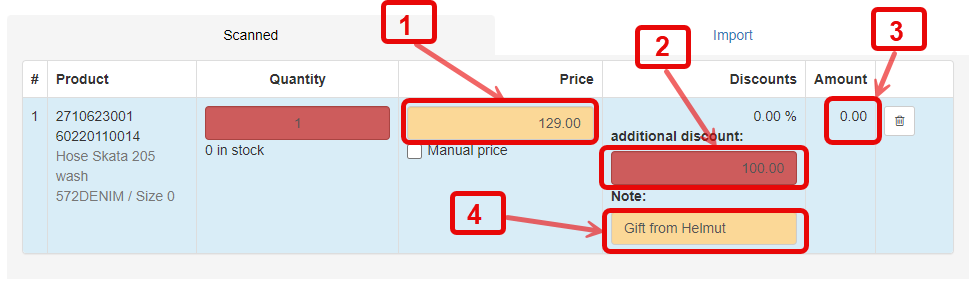
1. Starting price
2. Additional discount (here: gift, ie. 100 %)
3. Reduced amount = 0
4. Note: Who and why
Discount 4 - Additional discount
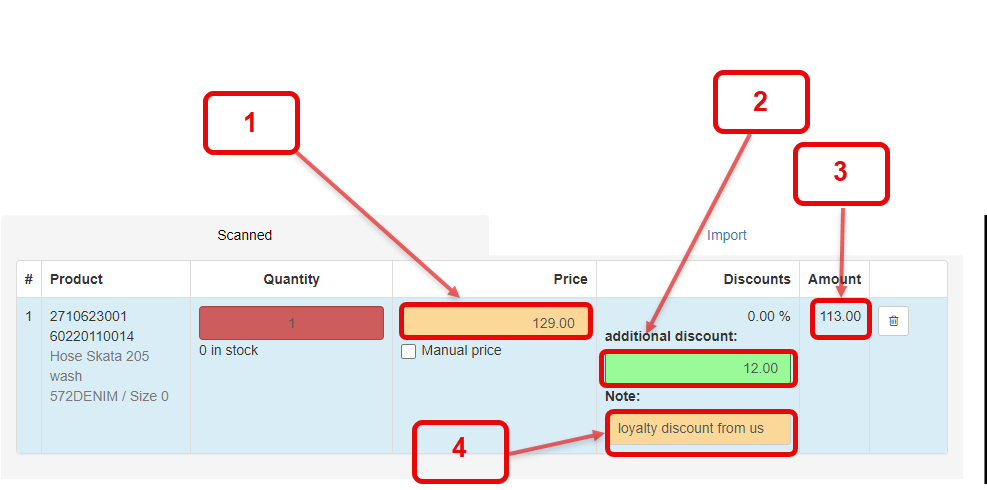
1. Starting price
2. Additional discount (here: 12 %)
3. Reduced amount
4. Note: Who and why
Discount 5 - Individual price
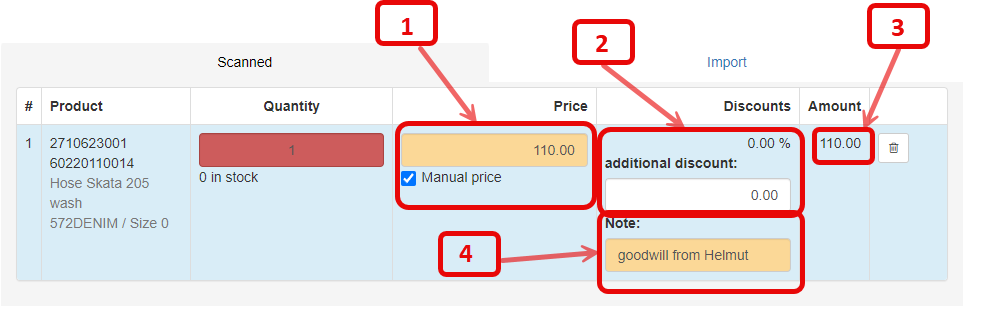
1. Price is entered individually
2. No discount is shown for individual prices
3. Reduced amount = individual amount
4. Note: Who and why?
Total discount
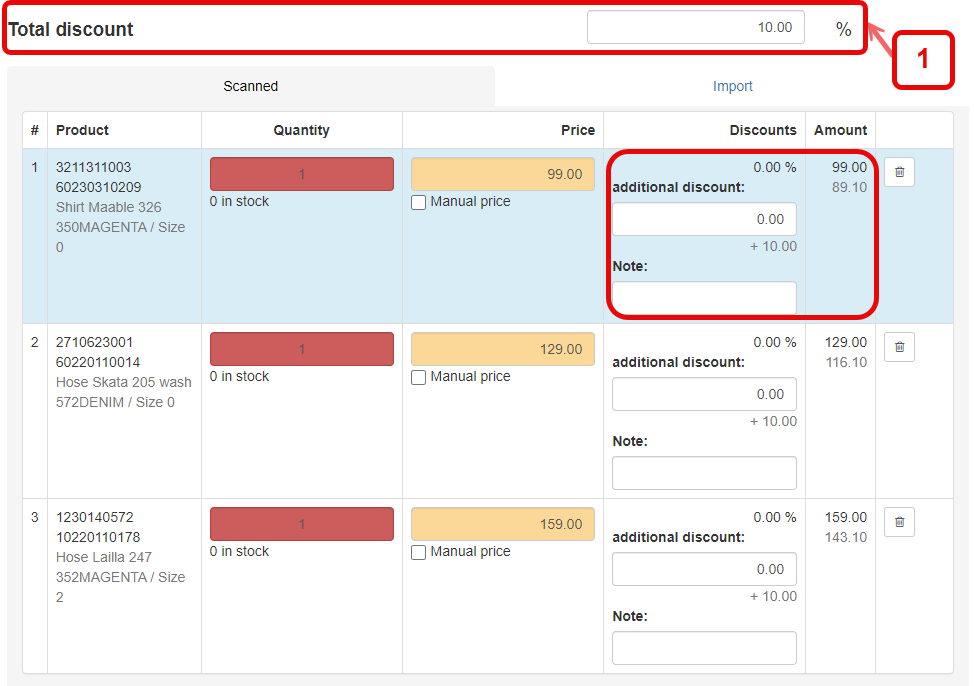
1. Total discount is entered here above and applies to the entire purchase
More in the chapter: E201 Data input, Scan/WE Number