Mikrocampaign
Step 01 - NL subscription check + CT check
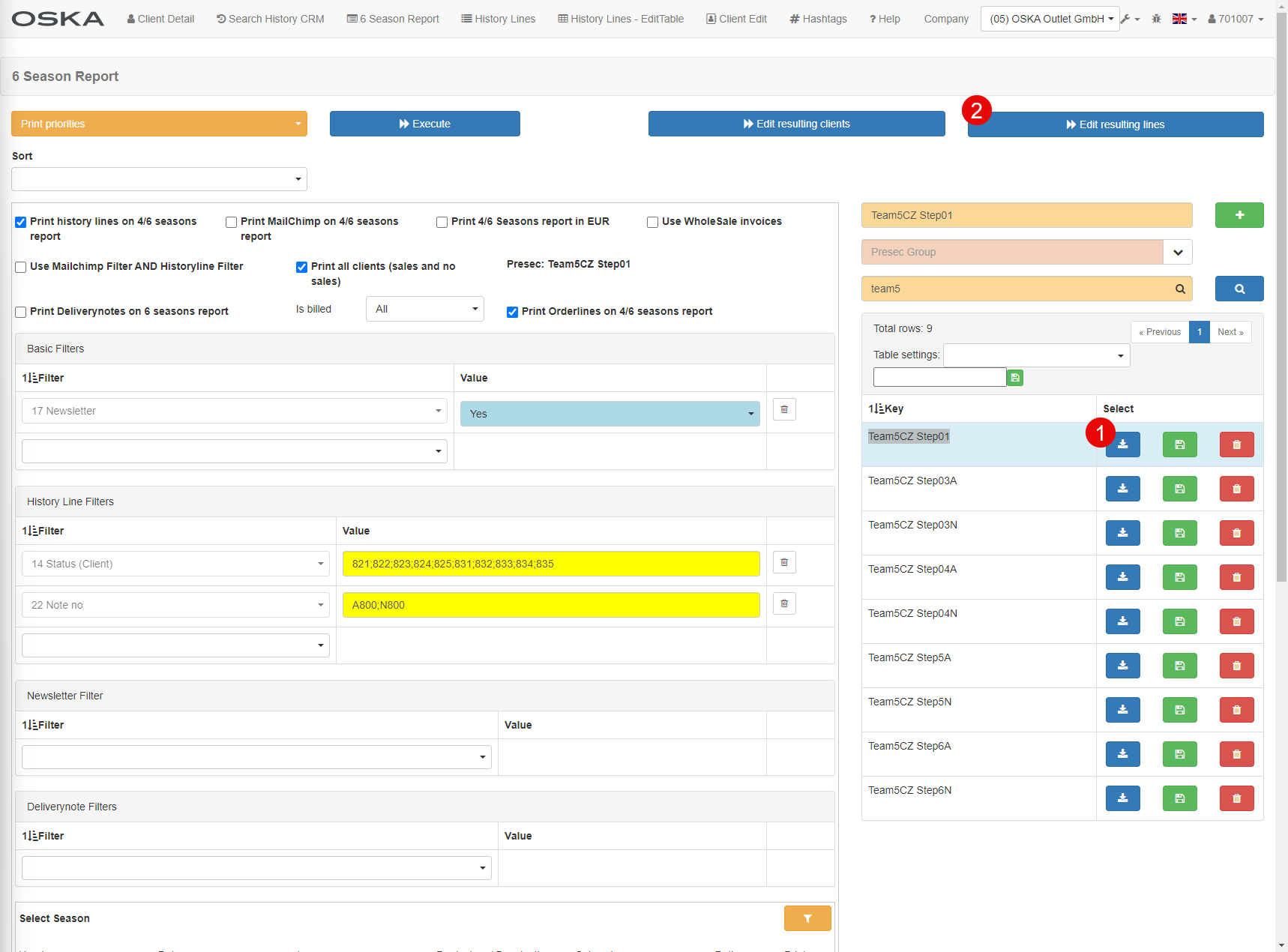
task: 6 Season Report
PreSec: Team5CZ Step01
Control of clients who have started to subscribe to NL - this will exclude clients from sending further e-mails within the framework of the micro-campaign or those who no longer wish to be contacted (CT 309).
- Load PreSec Team5CZ Step01A
- Edit resulting lines
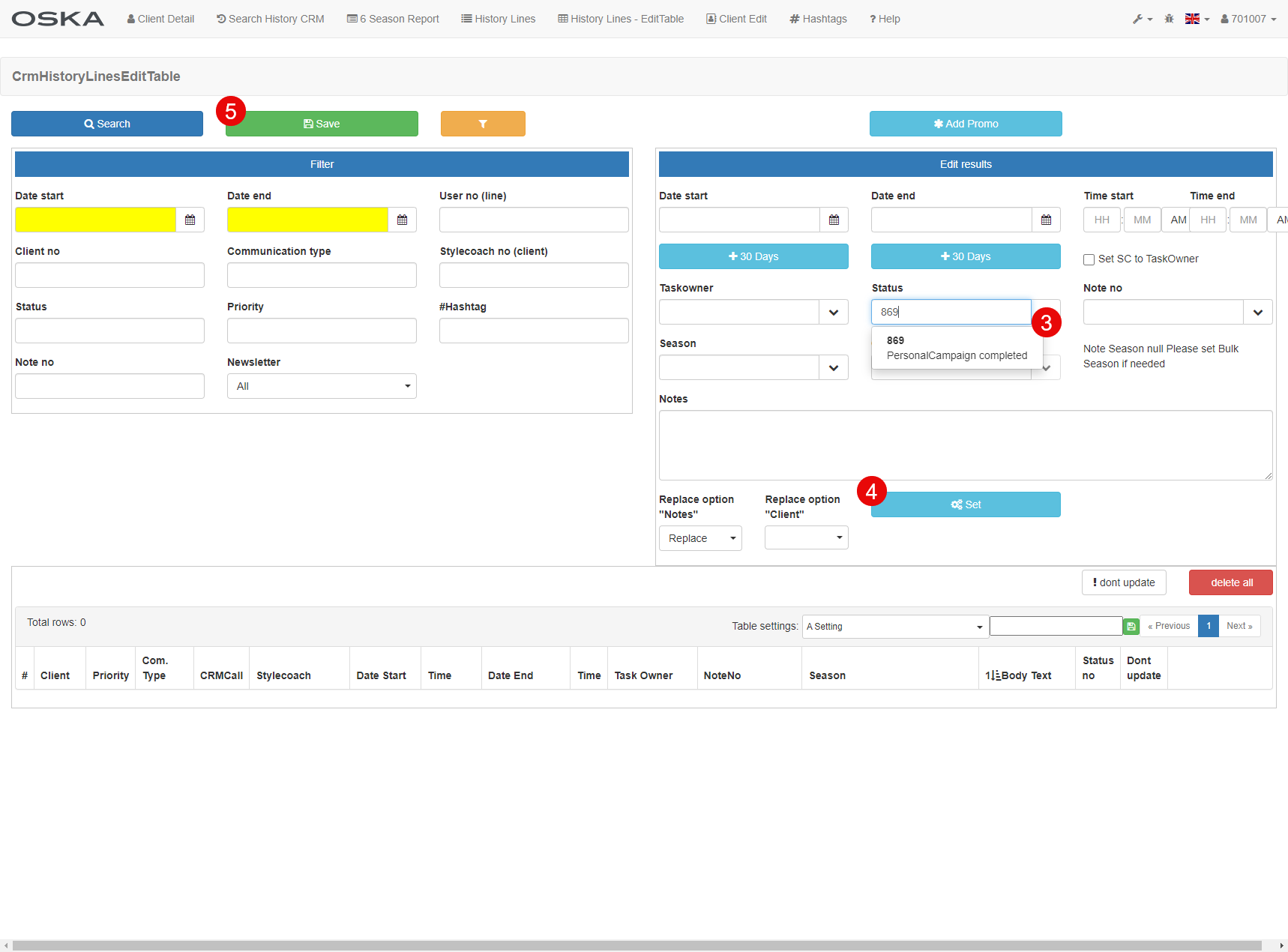
- Status 869
- Set
- Save
- Load PreSec Team5CZ Step01N
- Edit resulting lines
- Status 869
- Set
- Save
Step02 A + N
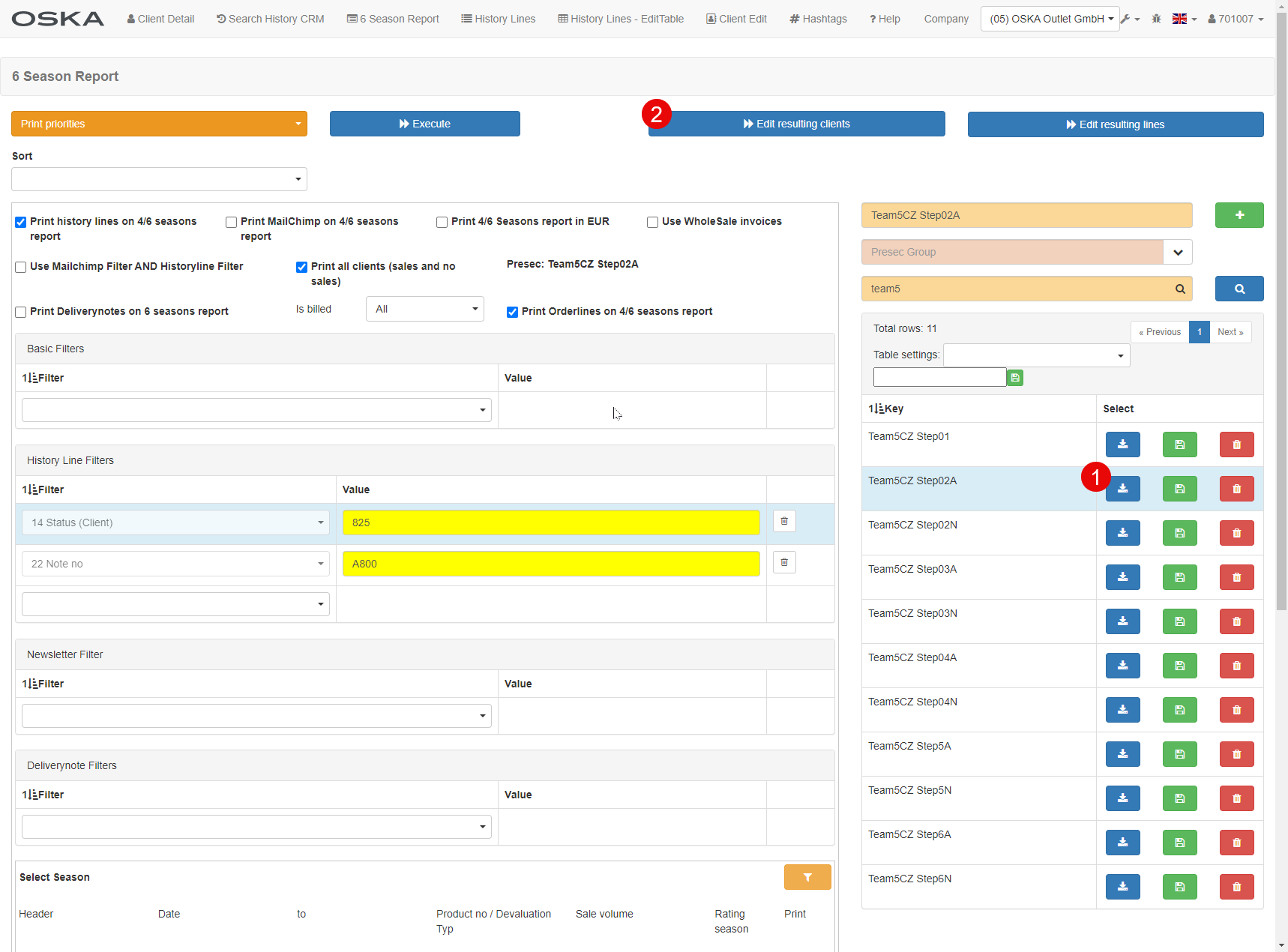
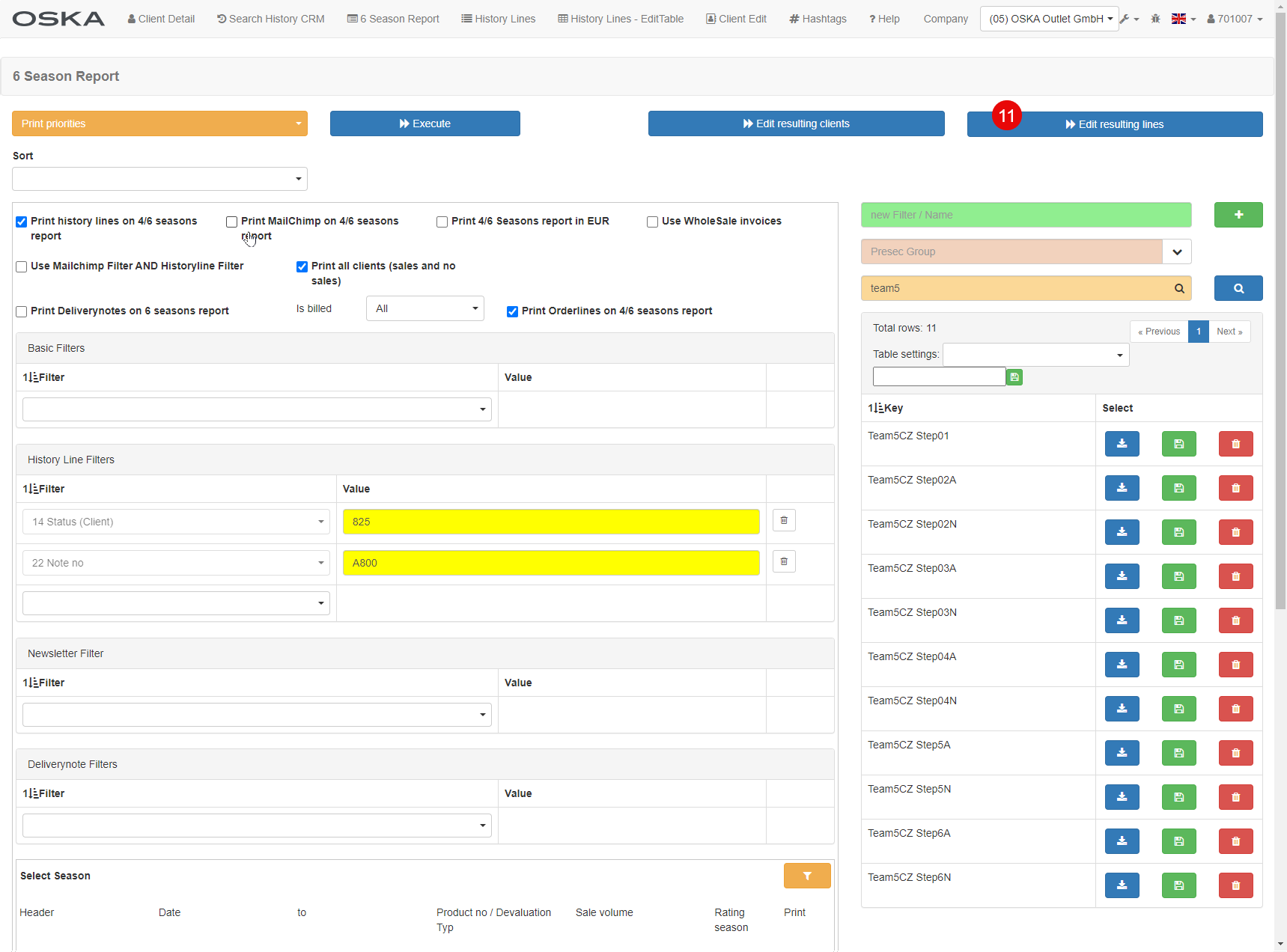
task: 6 Season Report
PreSec: Team5CZ Step02
- Load PreSec Team5CZ Step02 A or N
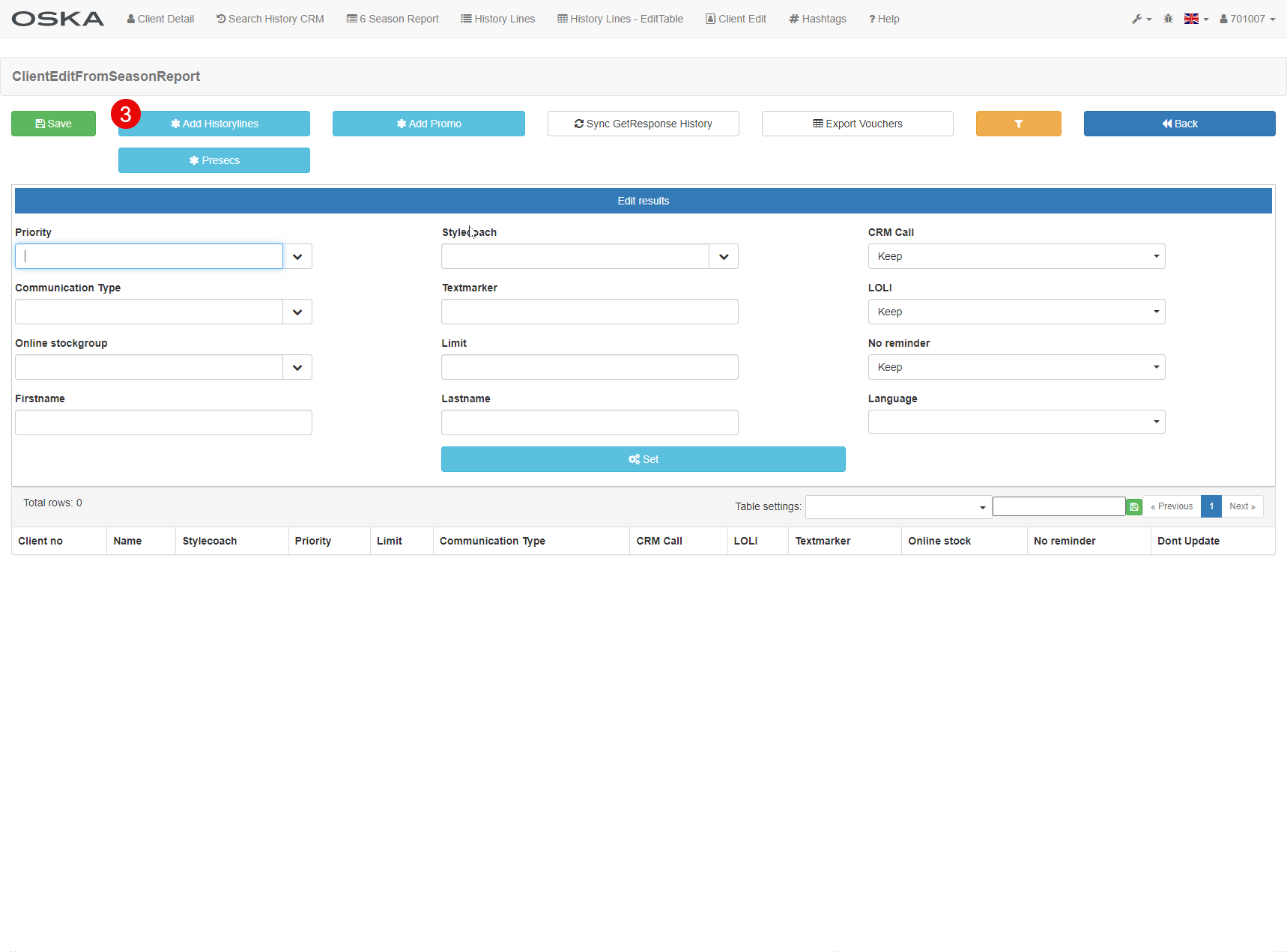
- Edit resulting clients
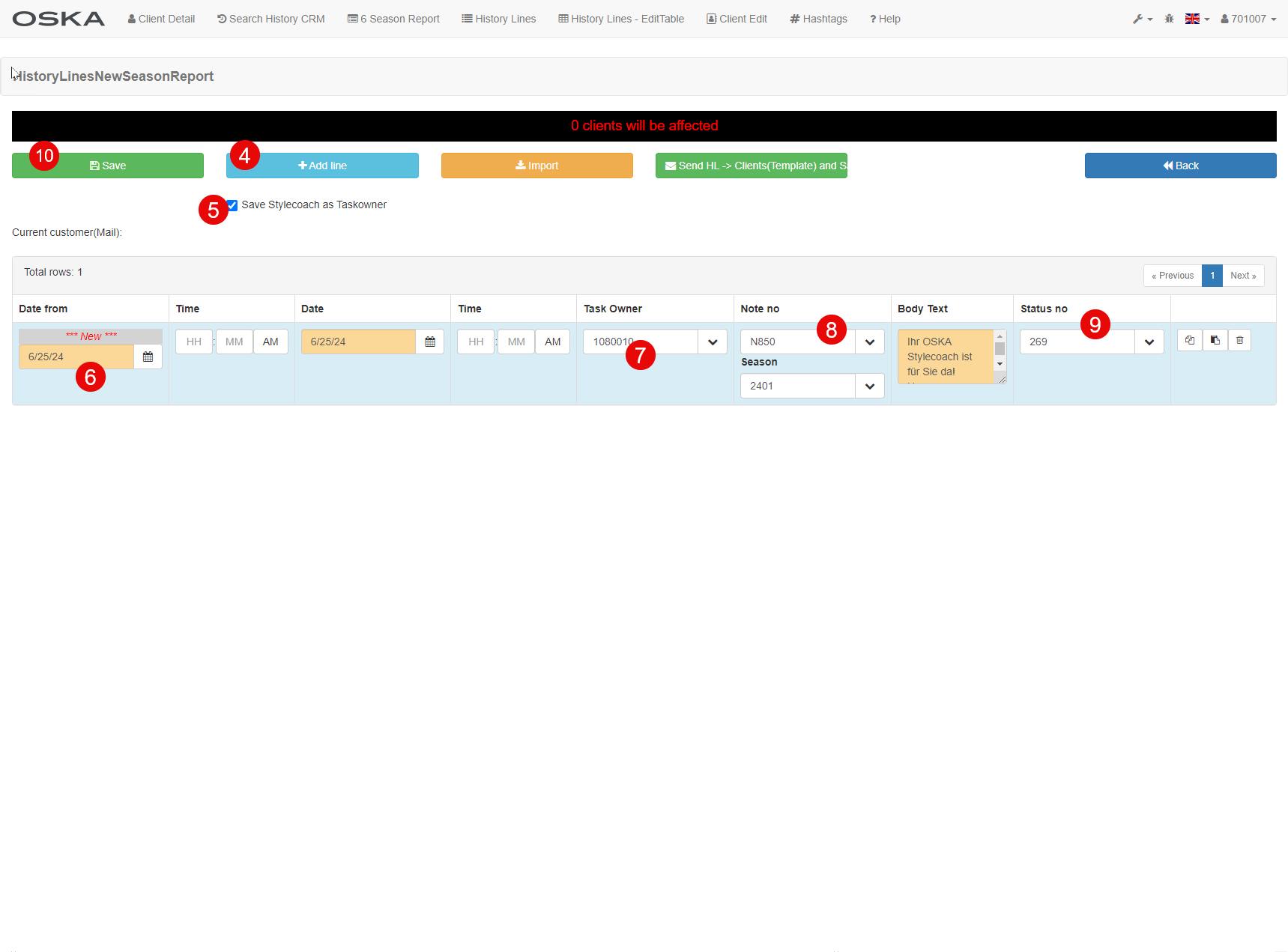
- *Add Historylines
- +Add line
- Check Save SC as Taskowner
- The date when it creates HL
- Universal - 1080010
- M850 or M950
- Status 269
- Save
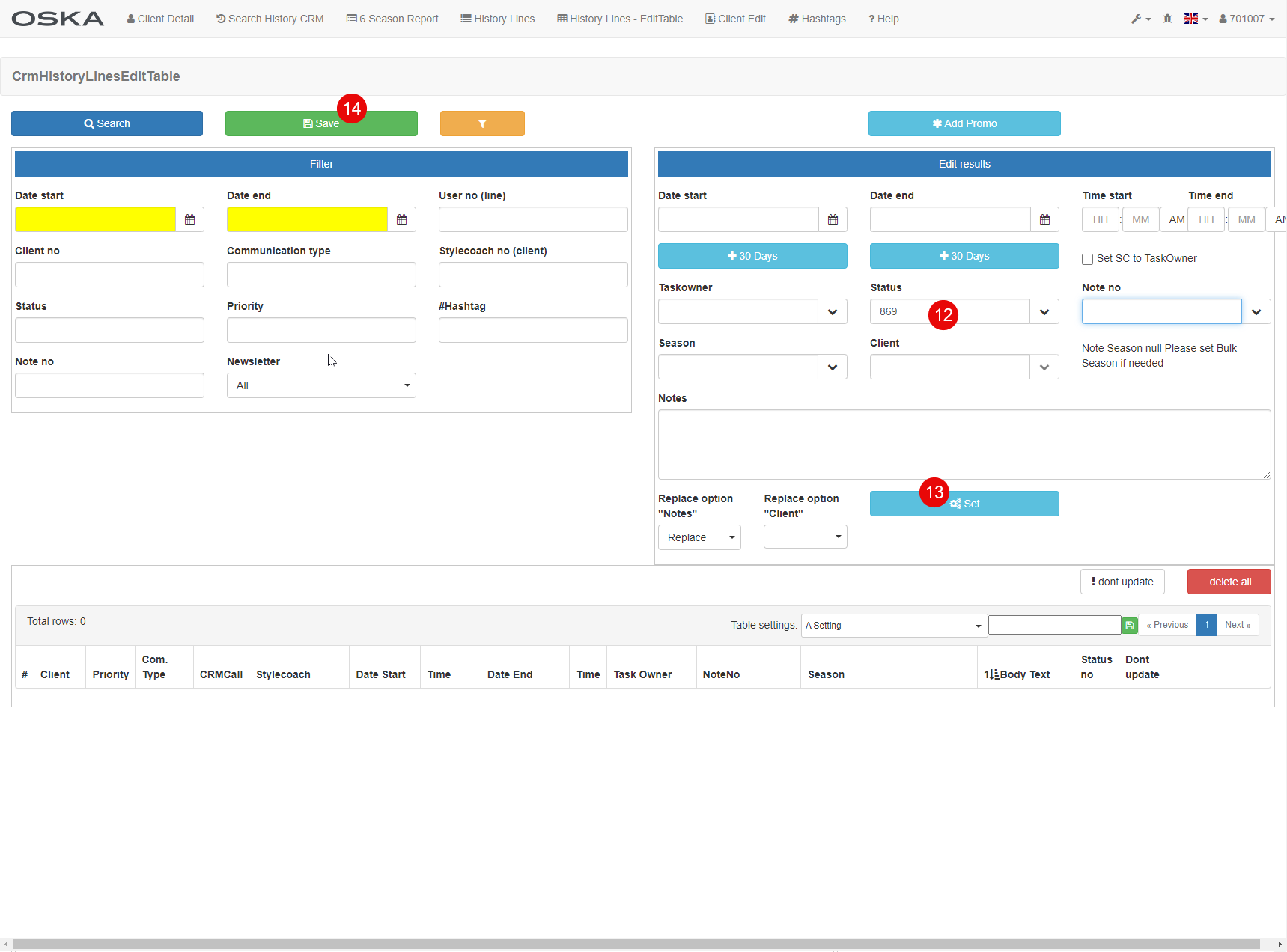
- Same PreSec - Edit resulting lines
- Status 869
- Set
- Save
Step03 A + N
task: 6 Season Report
PreSec: Team5CZ Step03
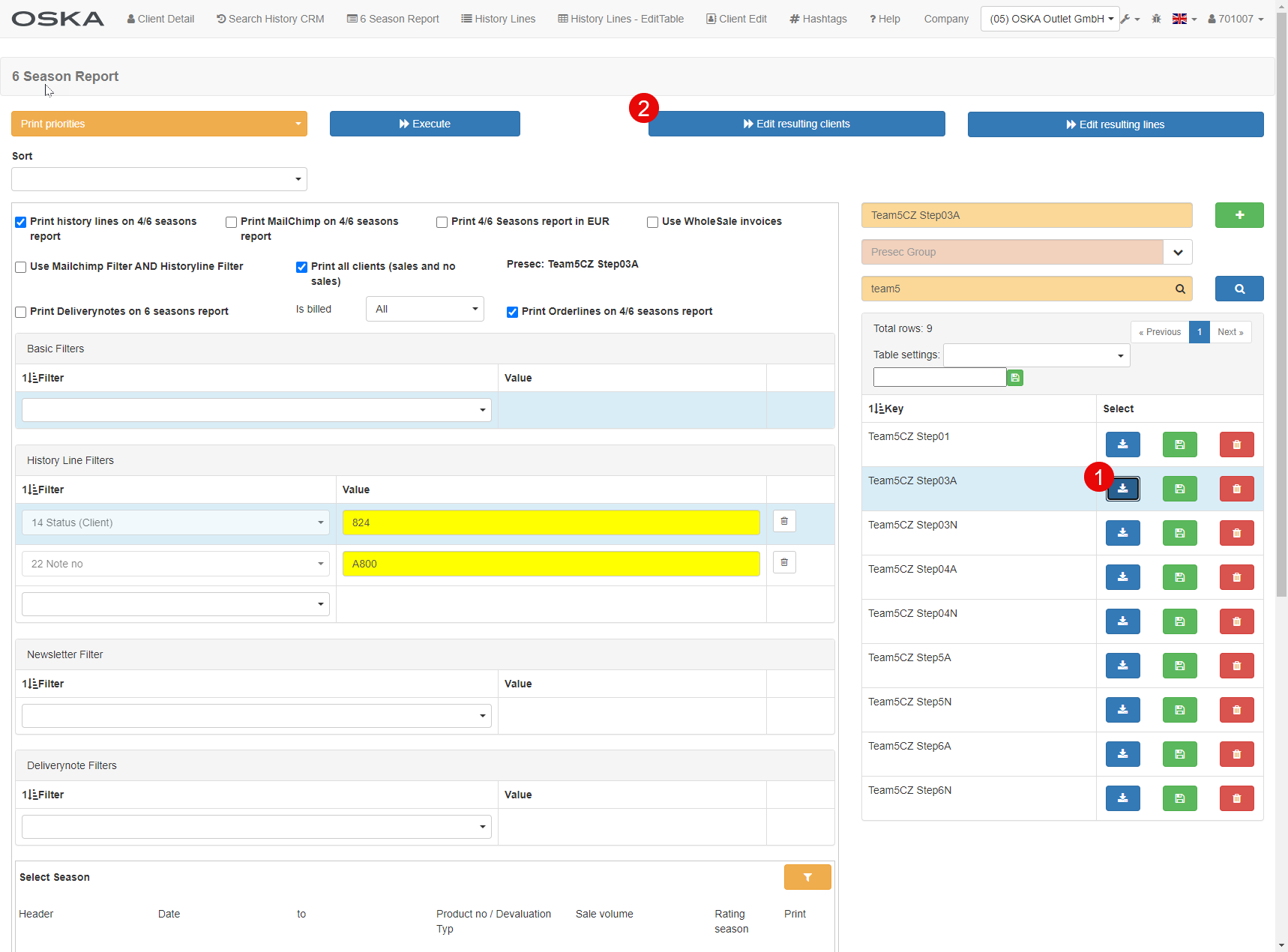
- Load PreSec Team5CZ Step03 A or N
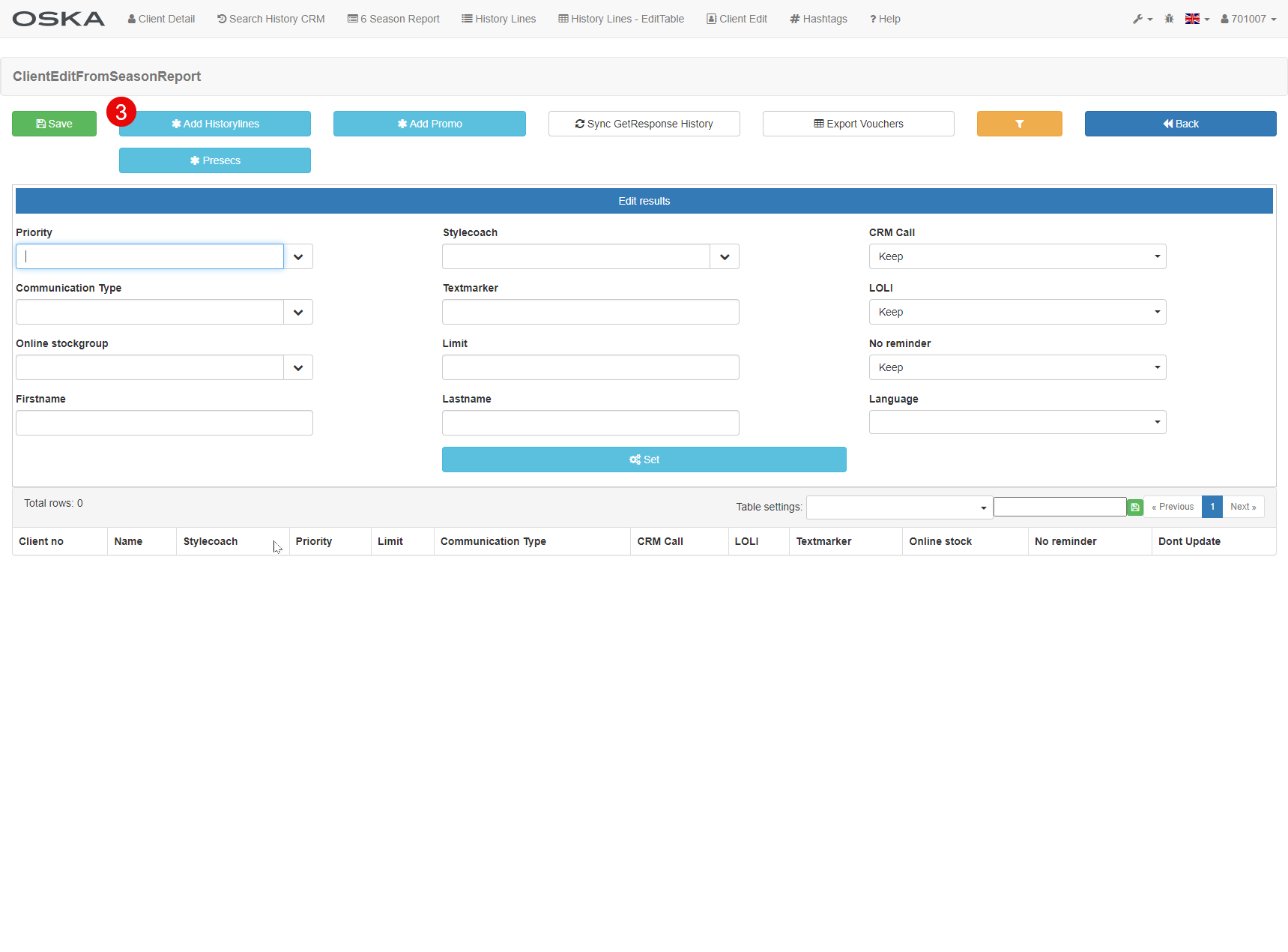
- Edit resulting clients
- *Add Historylines
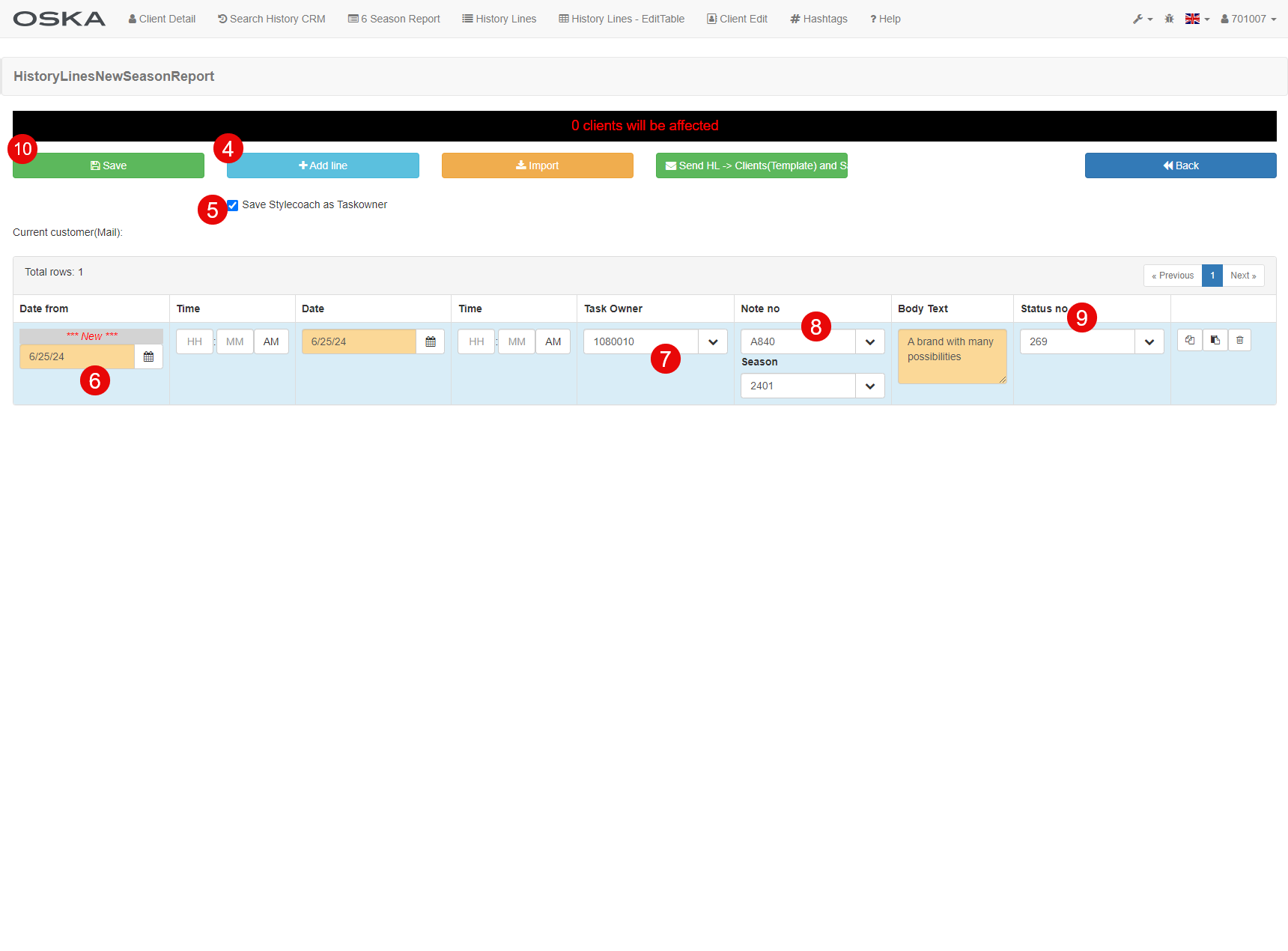
- +Add line
- Check Save SC as Taskowner
- The date when it creates HL
- Universal - 1080010
- M840 or M940
- Status 269
- Save
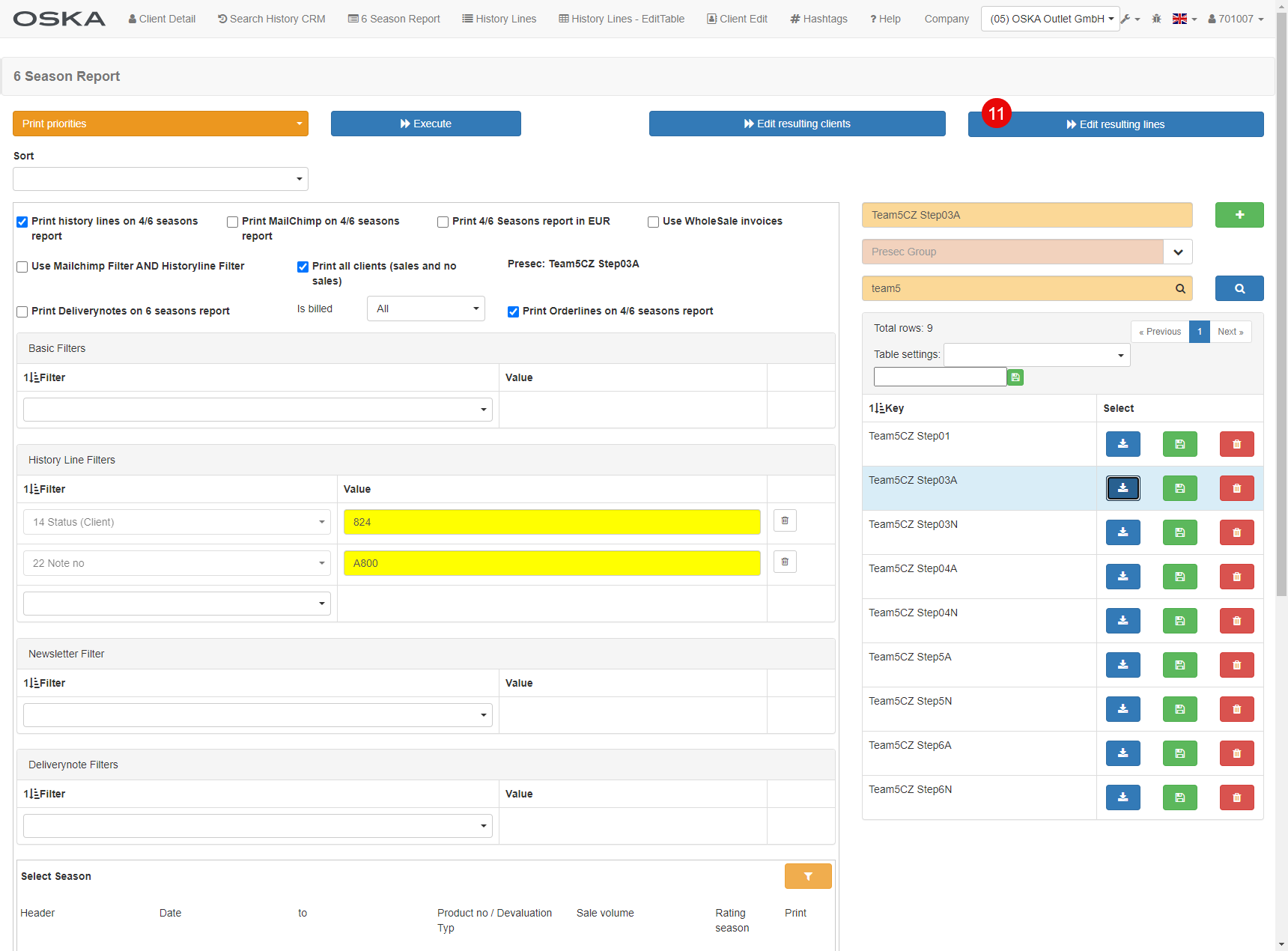
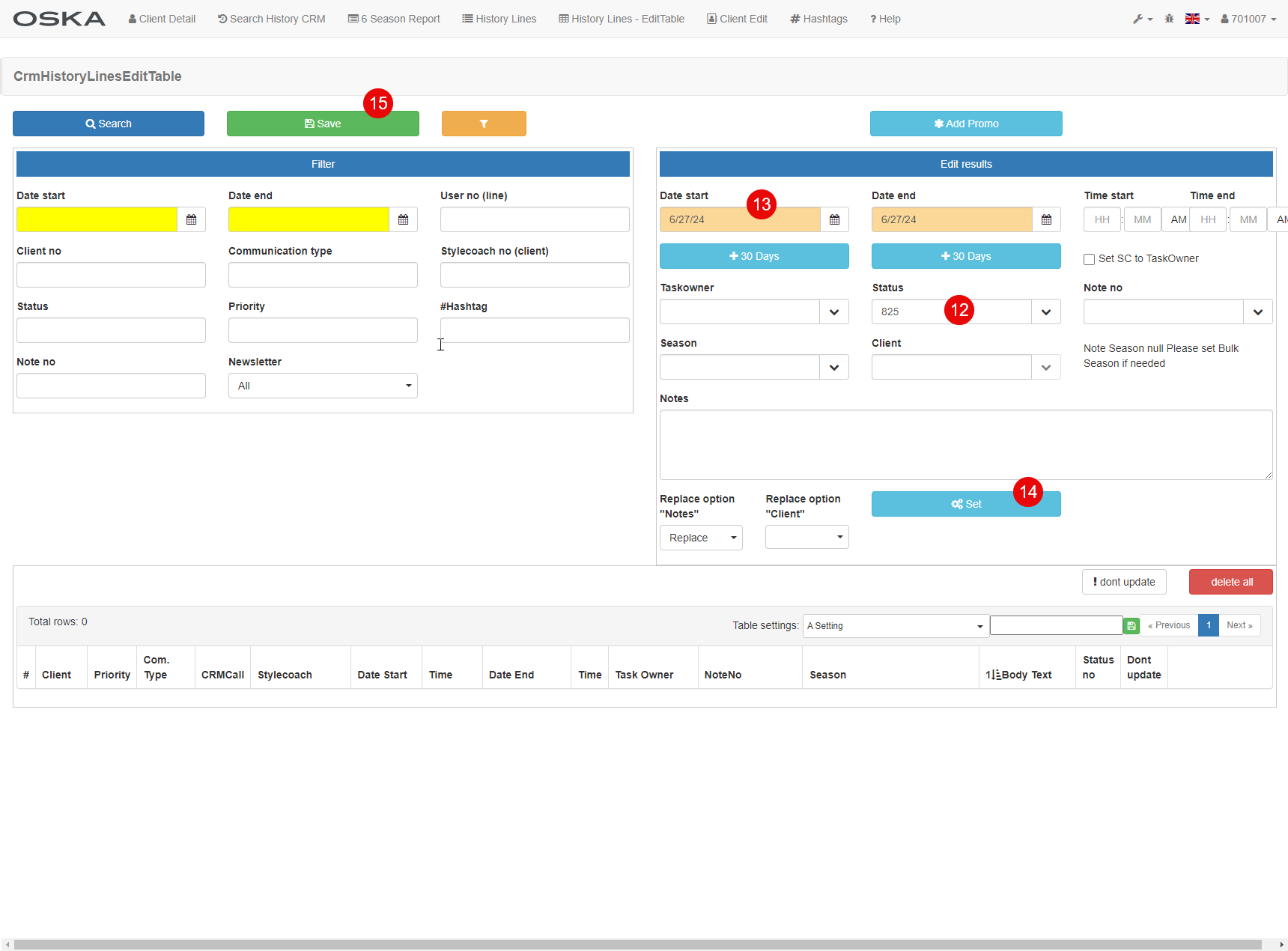
- Same PreSec - Edit resulting lines
- Status 825 for M900 or 835 for M800
- Push the date by one week
- Set
- Save
Step04 A + N
task: 6 Season Report
PreSec: Team5CZ Step04
- Load PreSec Team5CZ Step04 A or N
- Edit resulting clients
- *Add Historylines
- +Add line
- Check Save SC as Taskowner
- The date when it creates HL
- Universal- 1080010
- M830 or M930
- Status 269
- Save
- Same PreSec - Edit resulting lines
- Status 824 for M900 or 834 for M800
- Push the date by one week
- Set
- Save
Step05 A + N
task: 6 Season Report
PreSec: Team5CZ Step05
- Load PreSec Team5CZ Step05 A or N
- Edit resulting clients
- *Add Historylines
- +Add line
- Check Save SC as Taskowner
- The date when it creates HL
- Universal - 1080010
- M820 or M920
- Status 269
- Save
- Same PreSec - Edit resulting lines
- Status 823 for M900 or 833 for M800
- Push the date by one week
- Set
- Save
Step06 A + N
task: 6 Season Report
PreSec: Team5CZ Step06
- Load PreSec Team5CZ Step06 A or N
- Edit resulting clients
- *Add Historylines
- +Add line
- Check Save SC as Taskowner
- The date when it creates HL
- Universal - 1080010
- M810 or M910
- Status 269
- Save
- Same PreSec - Edit resulting lines
- Status 822 for M900 or 832 for M800
- Push the date by one week
- Set
- Save
Step07 Odeslání e-mailů
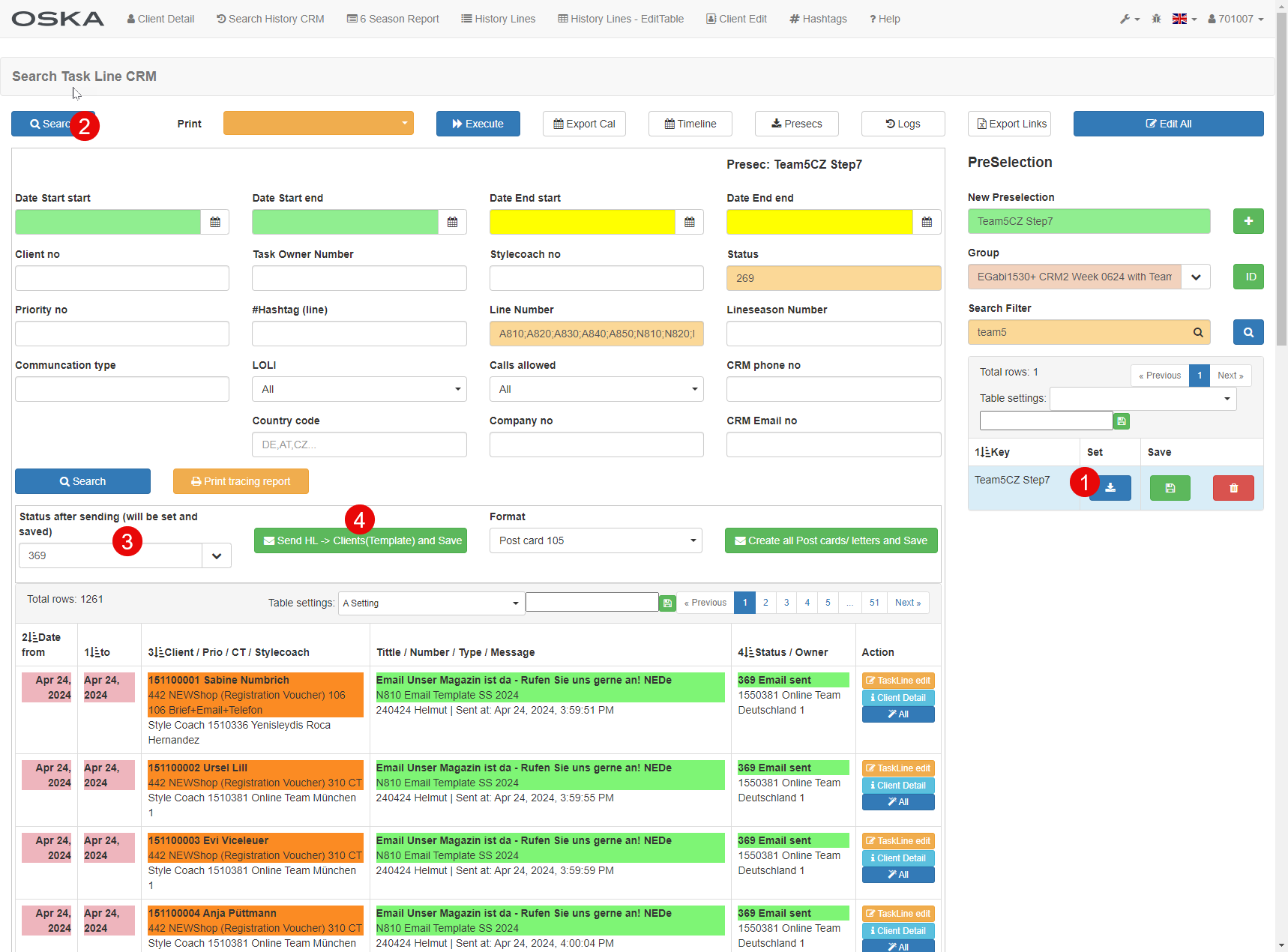
task: Search Task Line CRM
PreSec: Team5CZ Step7
- Load PreSec Team5CZ Step7
- Search
- Set "Status after sending": 369
- Send HL -> Client