
E213 POS Search/Edit Voucher
How to find voucher overwiev
When you needfind info about any voucher you can do it here:
https://pos.oska.com/anqApp/?#!/POS/a/Voucher_177/?param2=null
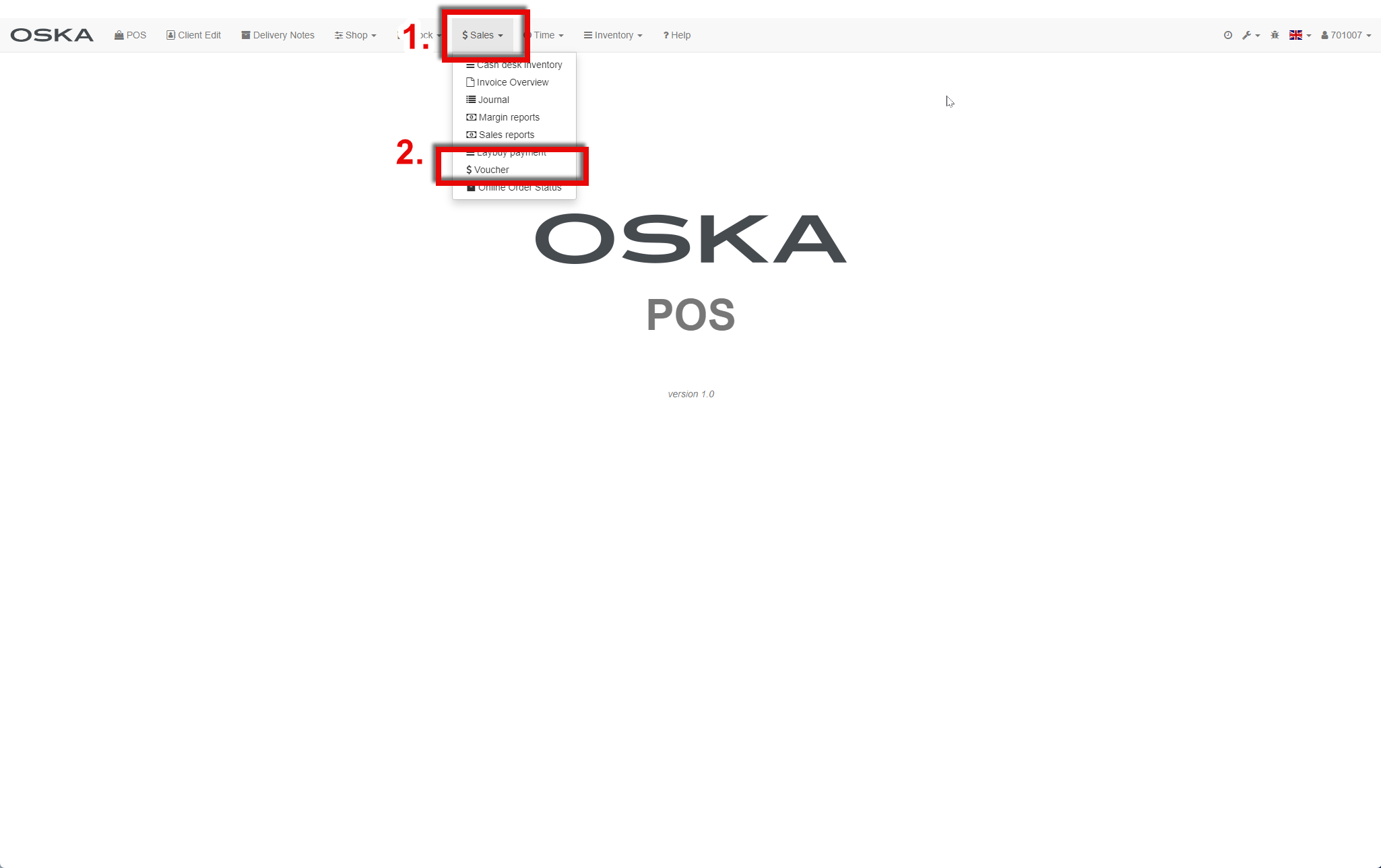
How to search vouchers
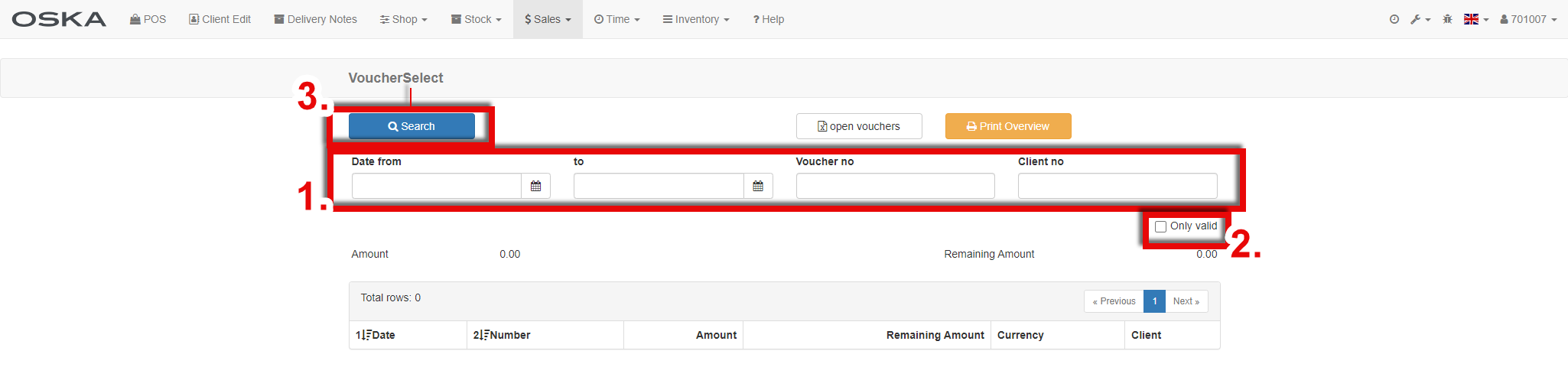
- Here you can search for vouchers according to the following fields:
- Date (use the calendar button to select a date)
- Voucher number (e.g. you can search for vouchers for the entire Vyši branch V15*)
- Customer number
- Here you can choose that you want search only valid vocuhers
- After filling in the filter you can search
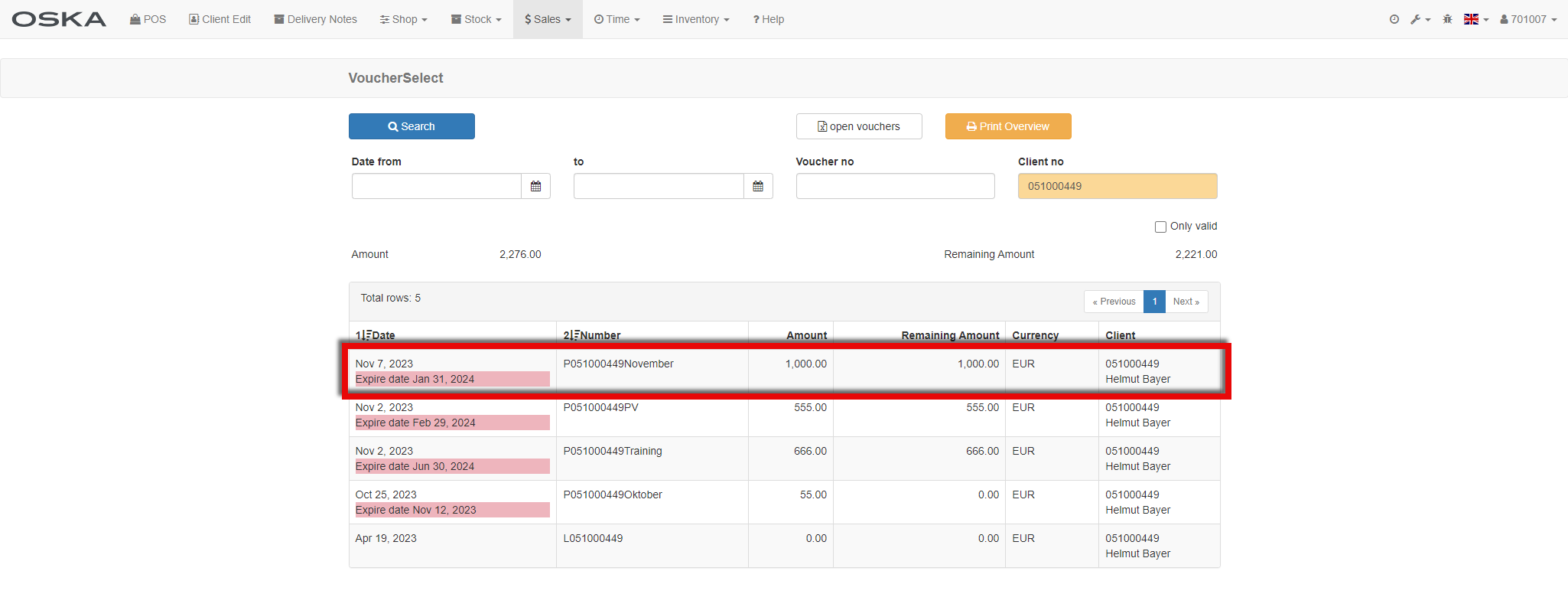
How to edit voucher
After finding the desired voucher, just click on a specific line to edit it.
Now you can:
- Assign the voucher to another customer
- Change the voucher expiry date
- Insert a note (why editing is happening)
- View voucher usage history
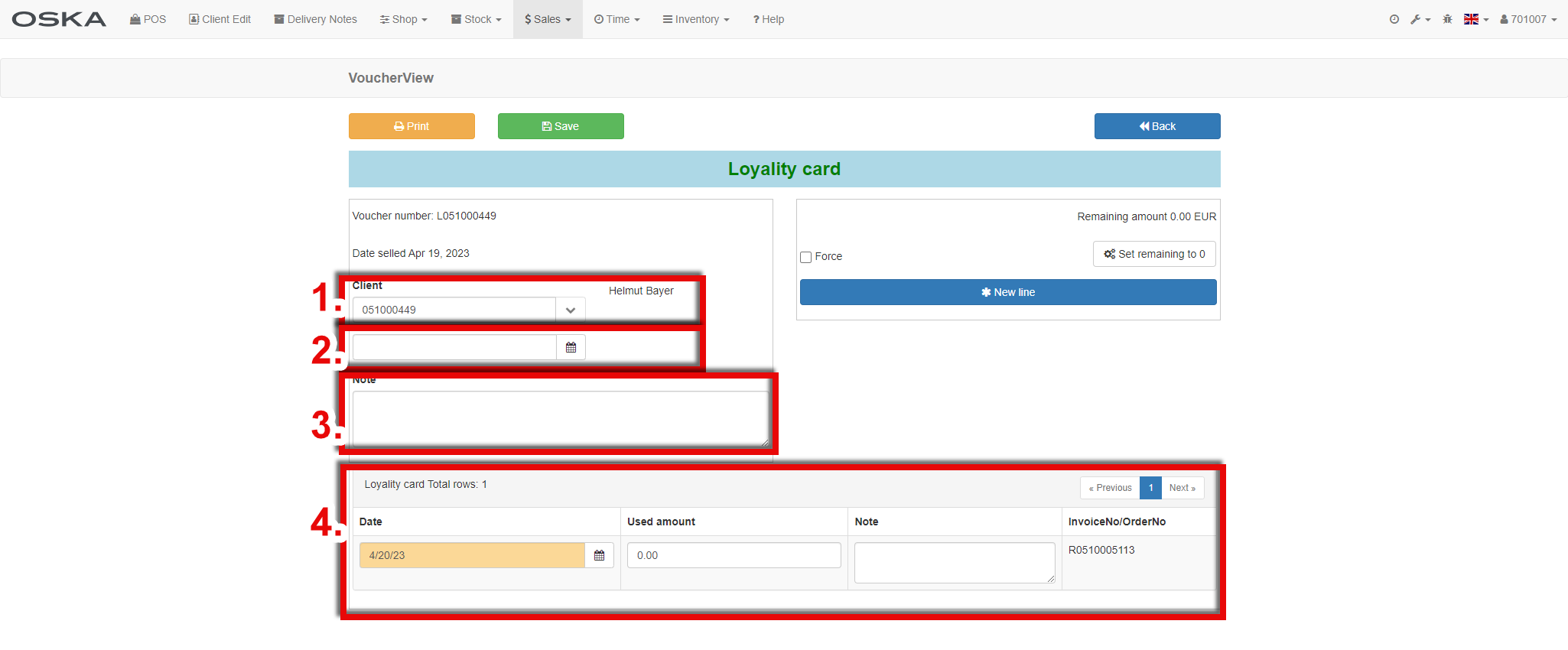
after any changes, don't forget to save the changes :-)