Merging Customers (Duplicate Customer Accounts)
Sometimes happens that a customer has more than one account and it is necessary to merge them into one.
Only an admin can do this - write your request to nos@oska.com with the numbers of the clients you wish to merge.
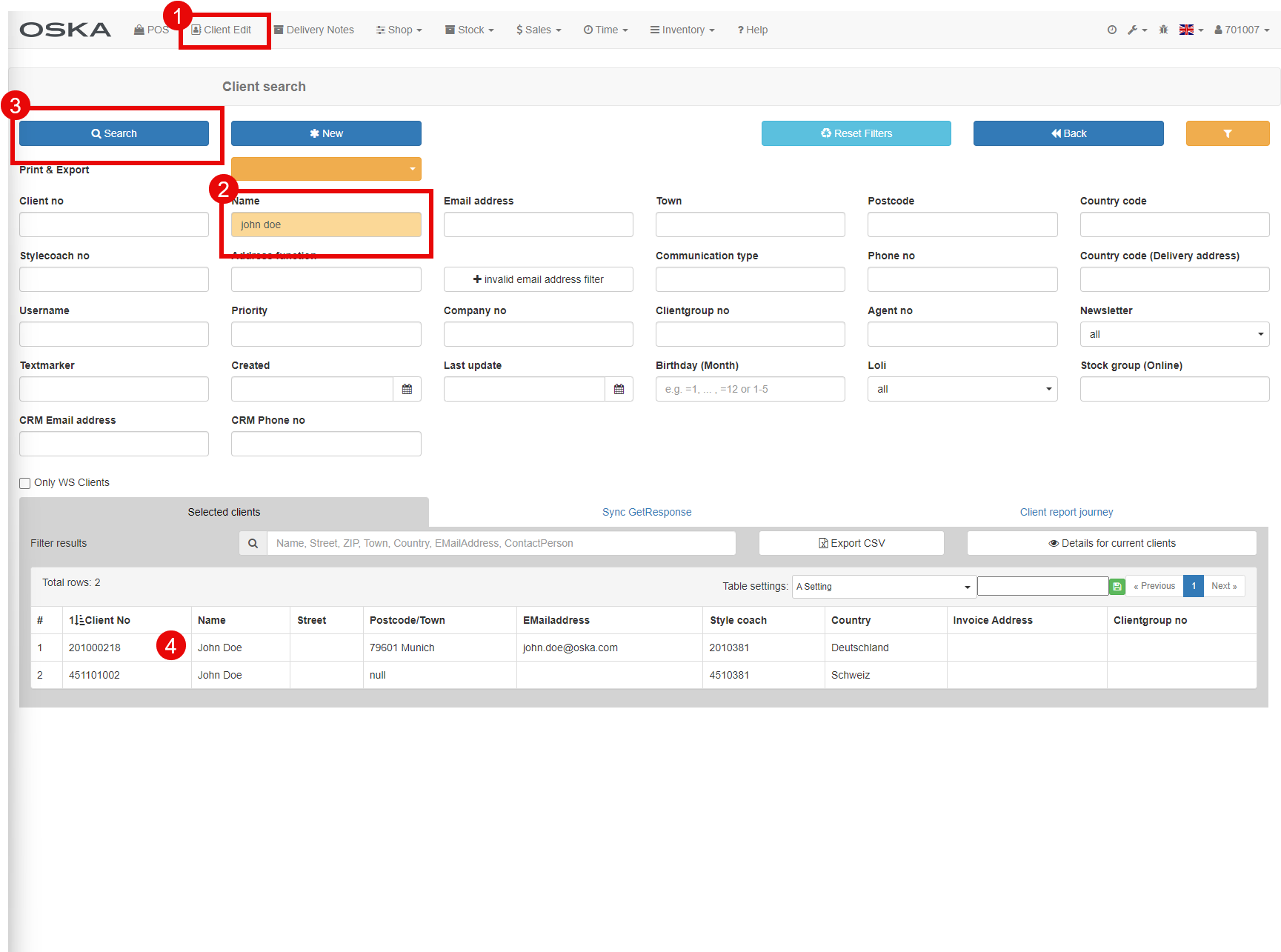
Task: Client search
- Client edit
- Filter (f.e. by name)
- Search
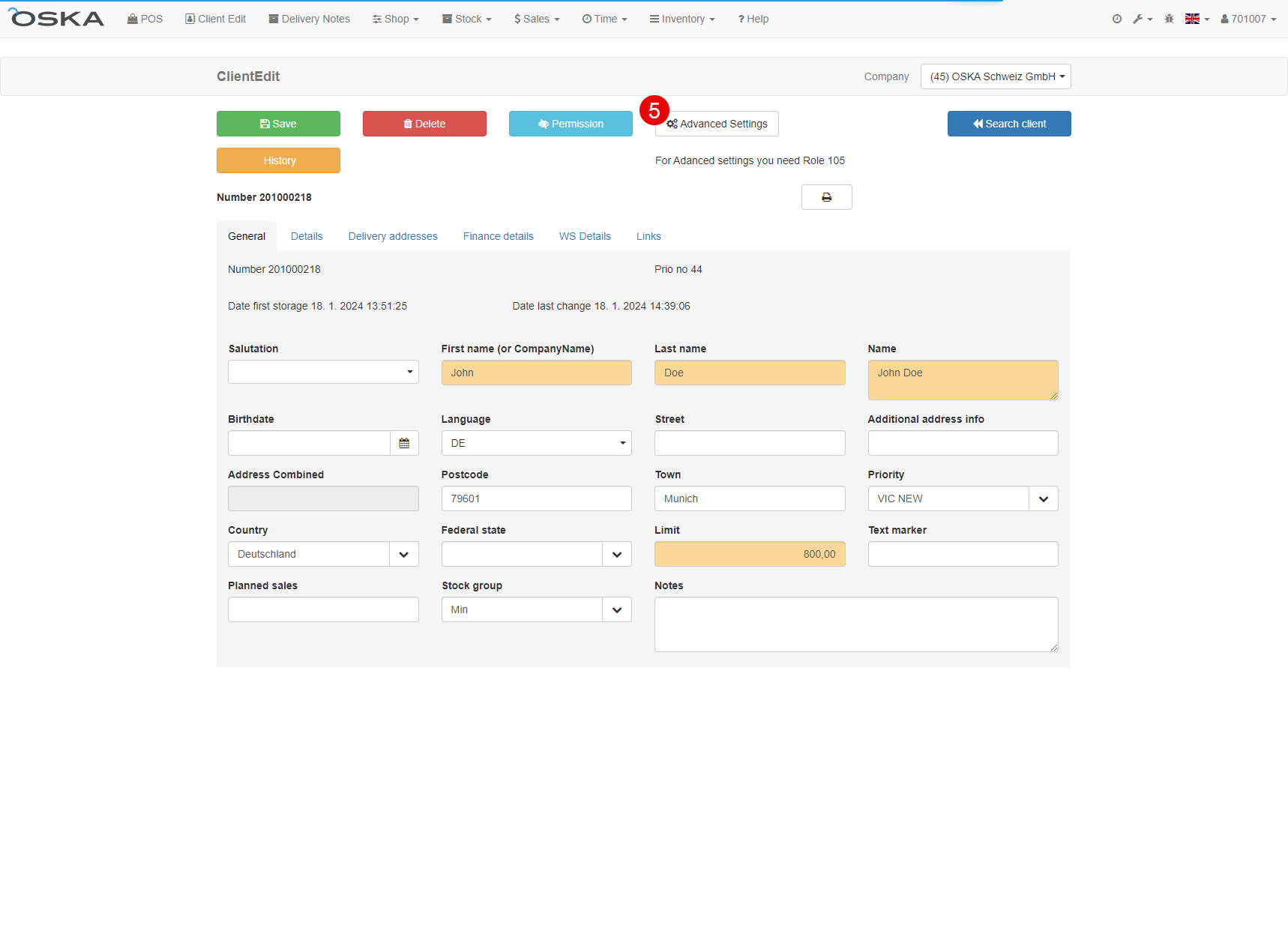
- Click on line with client number that we want to keep, we describe the other customer number
- Advanced settings
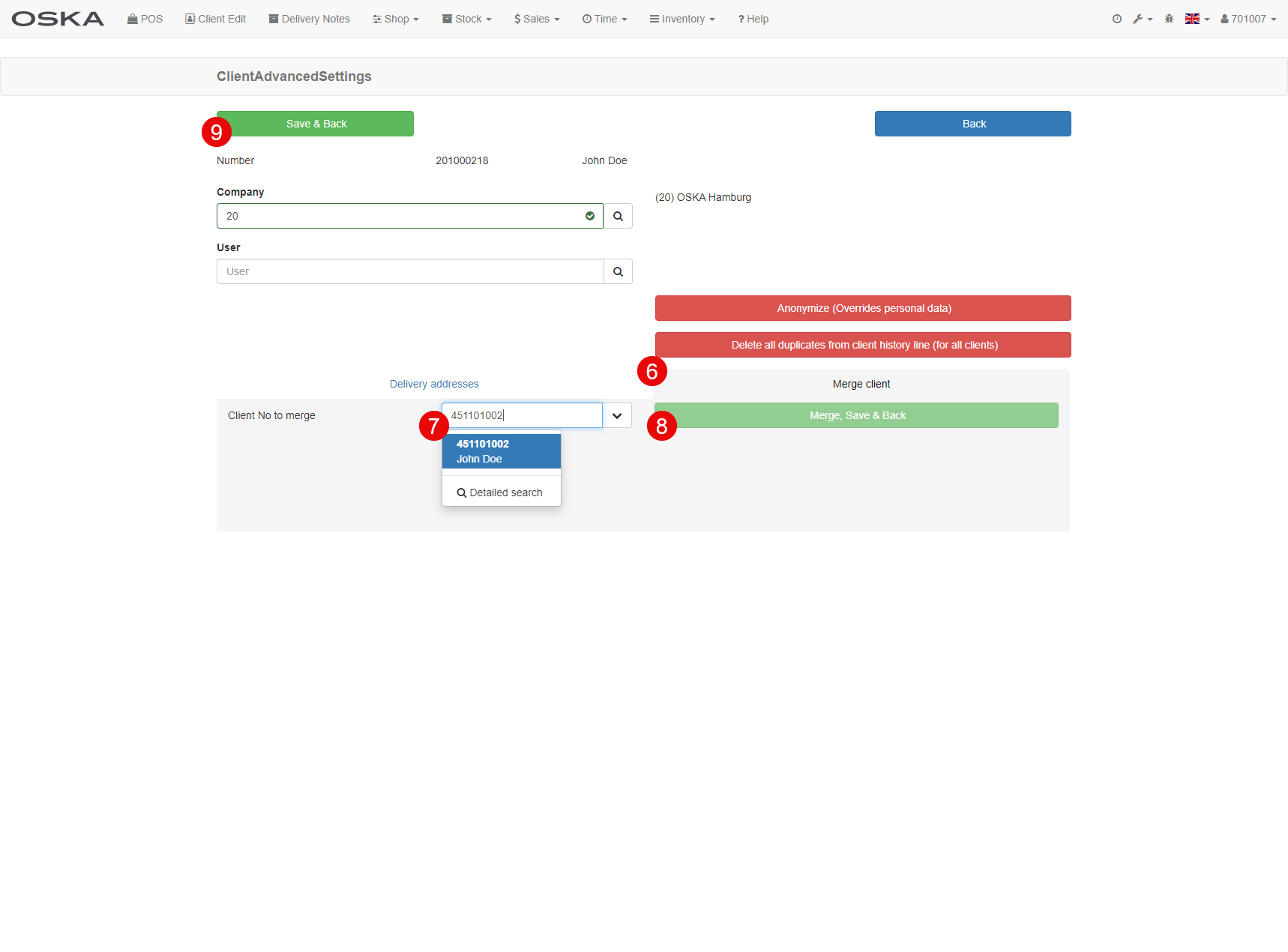
- Click on "Merge client" tab
- Inser the duplicite client number (this number will disappear from the database)
- Click on Merge
- Save & Back and it is done :-)