Deleting the client from the NOS
Sometimes it can happen that a client wishes to be deleted from our system.
Only an admin can do this - write your request to support@oska.com with the number of the client you wish to be deleted.
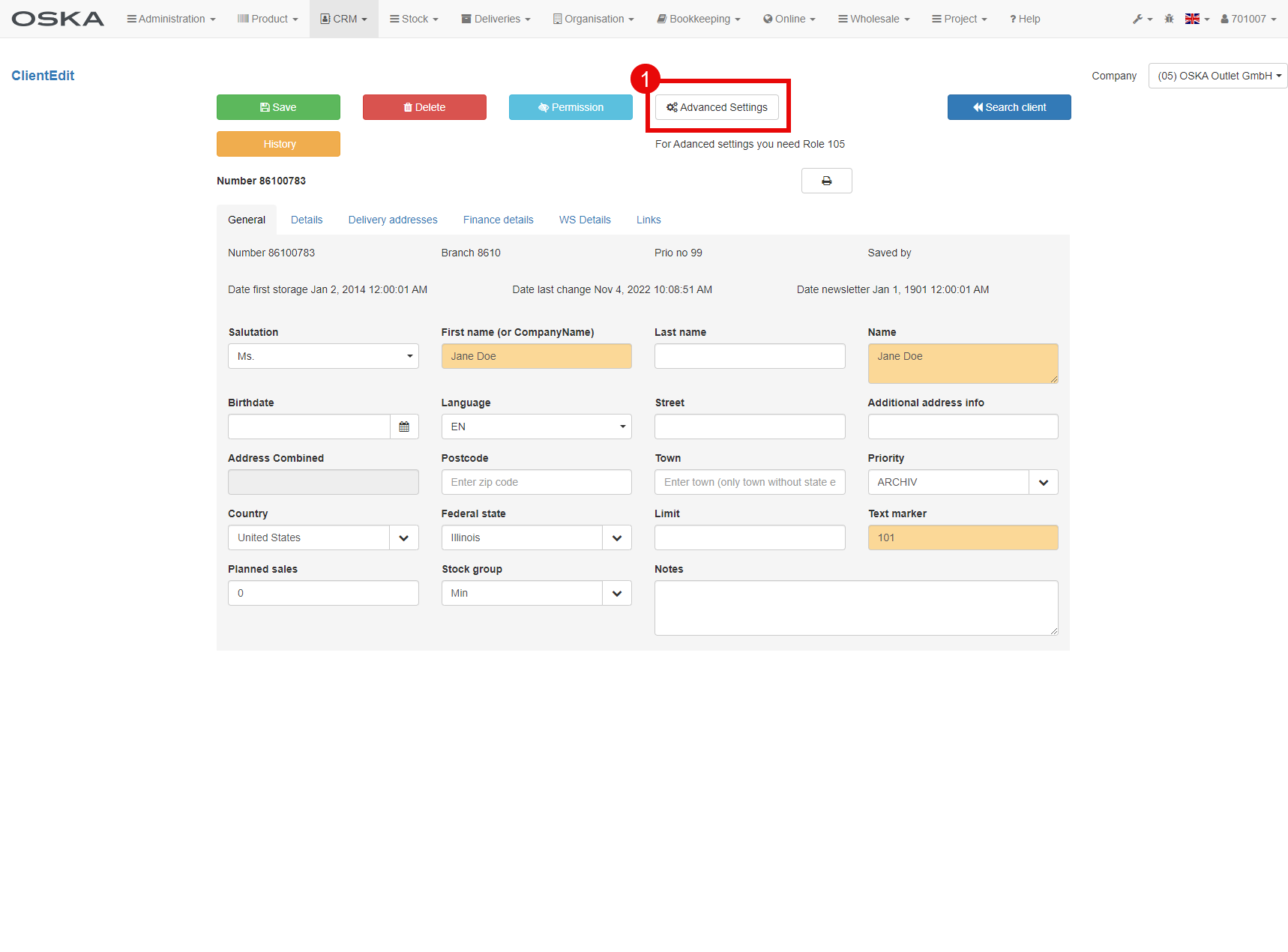
- For this step we will go to the detail of the client and find the "Advanced Settings" button
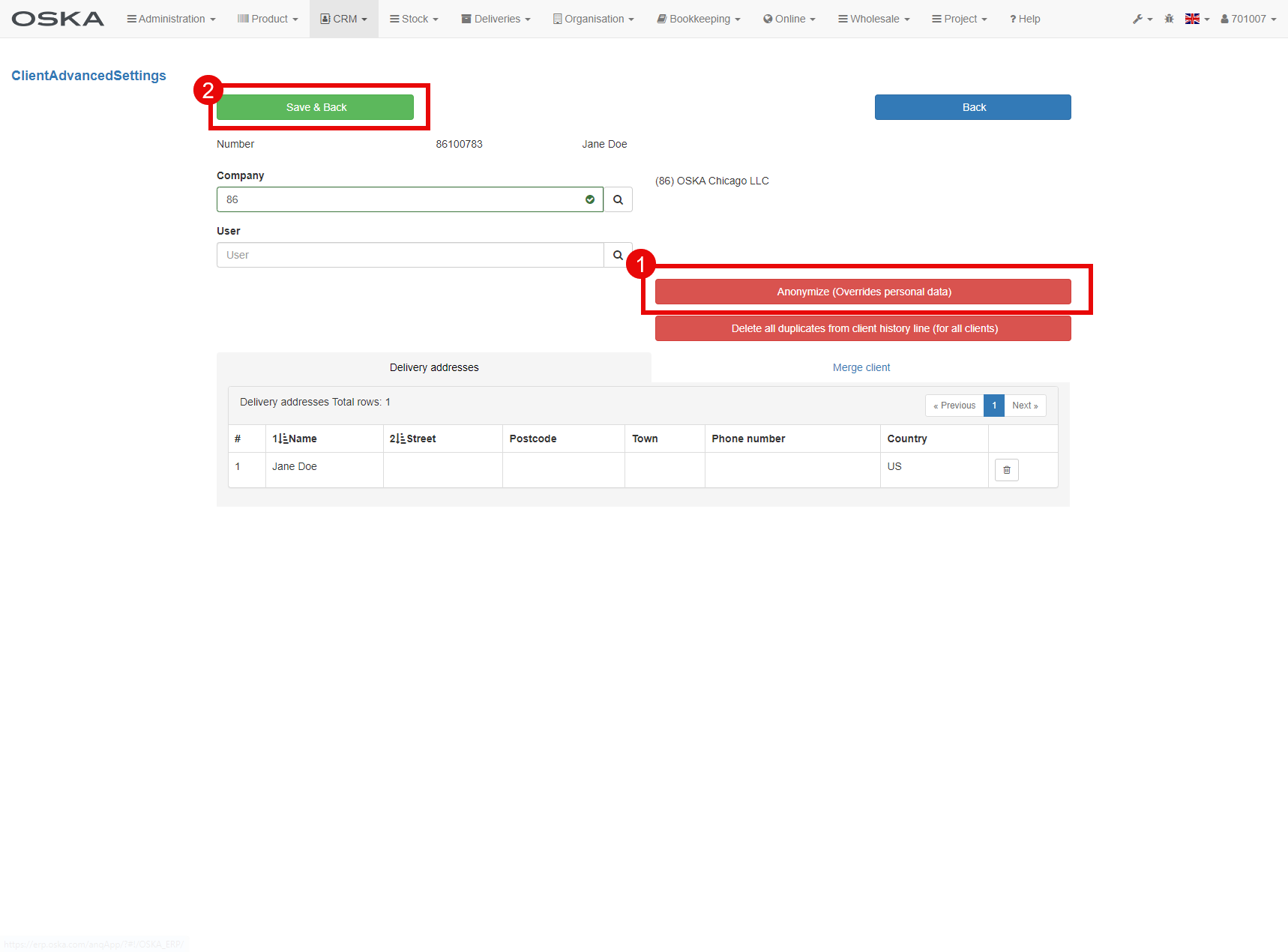
- Here we select "Anynymize (Overrides personal data), this will delete the client's personal data
- Save it. And it is done :-)