openVPN
openVPN
program for secure encrypted connection to OSKA programs
Installation of the program and setting of individual security keys is carried out by OSKA technical support at support@oska.com
How to do it:
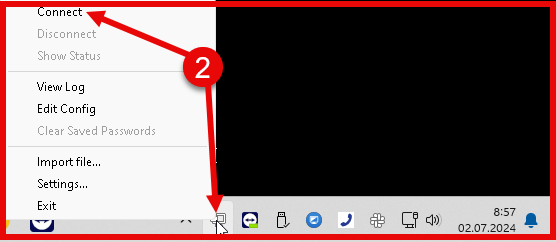
- find the "computer lock screen" icon in the lower right corner of the screen
- right mouse button - display menu - select CONNECT or double-click the icon
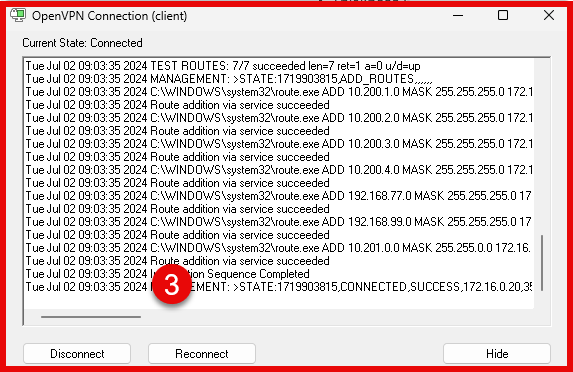
- a window will open showing a secure connection in progress, after a successful connection this window will disappear by itself
- information about the successful connection and the new address of your computer will be displayed
- the "computer lock screen" icon will turn GREEN. Yellow color means failed connection. Must repeat.
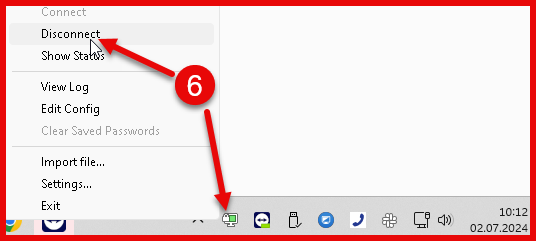
- terminating the secure connection to OSKA on the "computer screen with lock" icon via the right mouse button, select DISCONNECT from the menu