
E207 DE POS Create delivery note
E207
We have an exercise database in which you can save everything without changing the real data. Please practice extensively.
Please register by clicking on this link: https://beta.oska.com/anqApp/#!/POS/
Table of contents
- Product entry - Create delivery bill
- Fill out delivery bill
- Delivery bill types
- Save and close
E201 Advanced functions
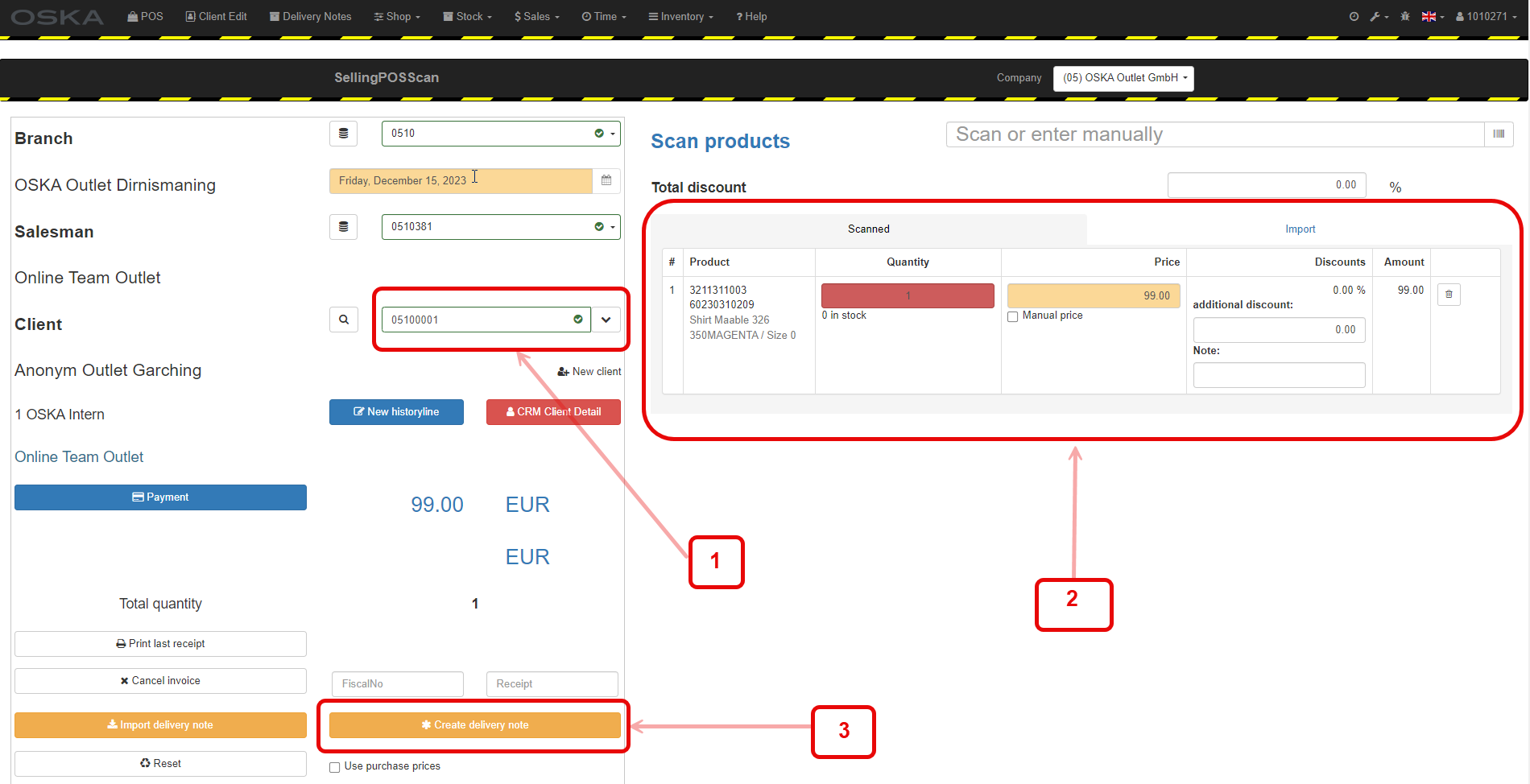
1. Product entry - Create delivery bill
1. Select the correct customer
2. Enter the desired products
3. Go to Create delivery bill
2. Fill out delivery bill
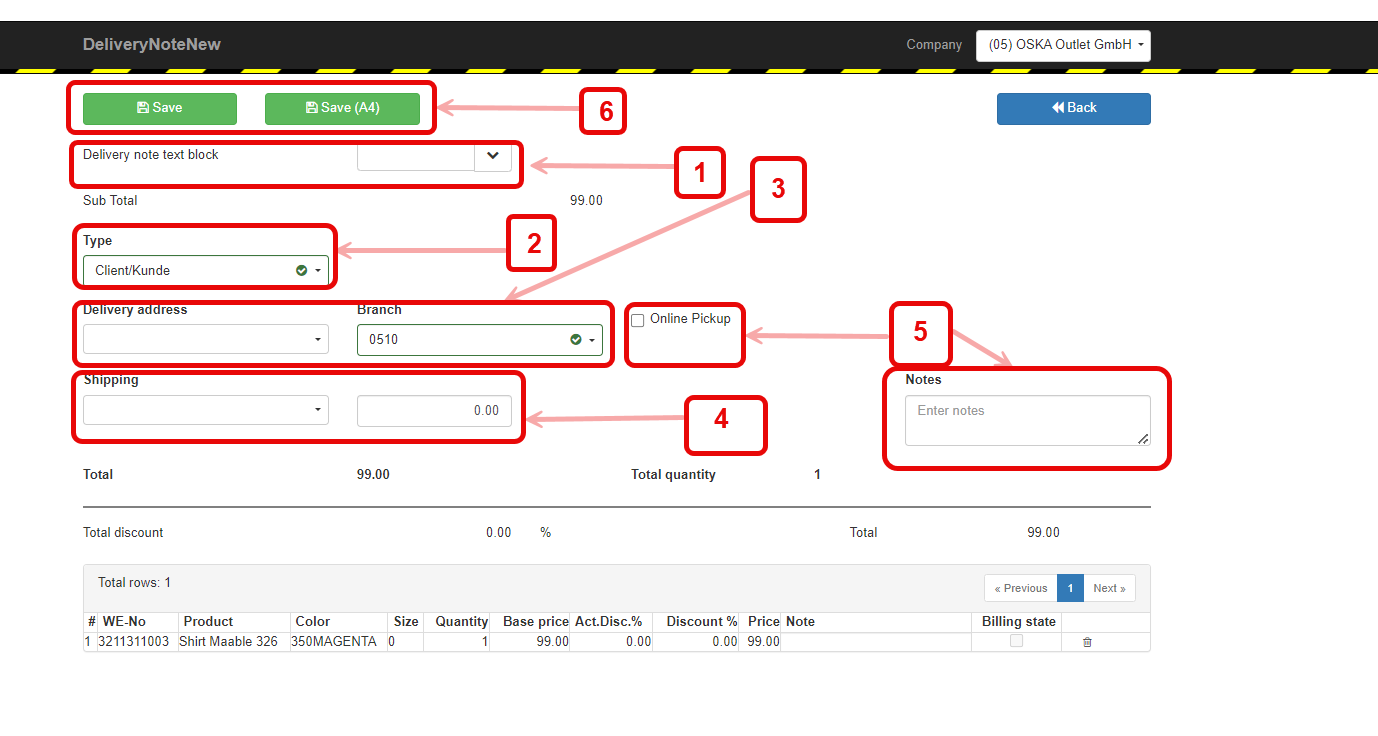
1. Text block automatically filled in if more specific required, please select
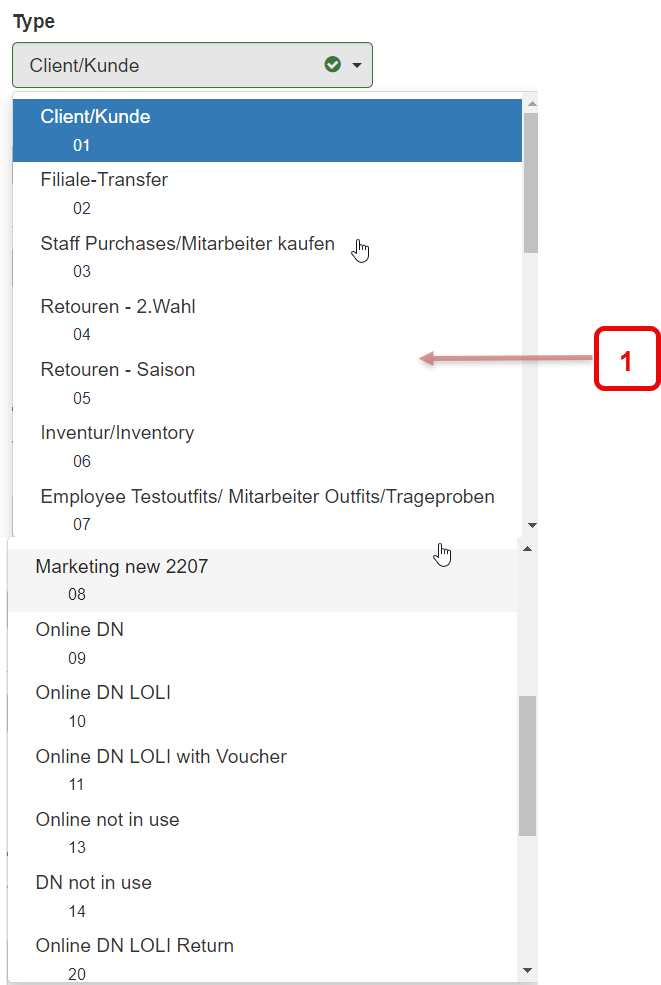
2. Select type (IMPORTANT)
Types: see following screenshot
3. Delivery address stored for registered customer
4. Select shipping - costs calculated automatically
5. Possibly add online pickup or notes
6. Select desired format and save
3. Delivery bill types
1. It is very important to select the correct delivery note type in order to be able to classify and post them correctly during the delivery bill inventory. Therefore, always select the appropriate delivery note type.
4. Save and close
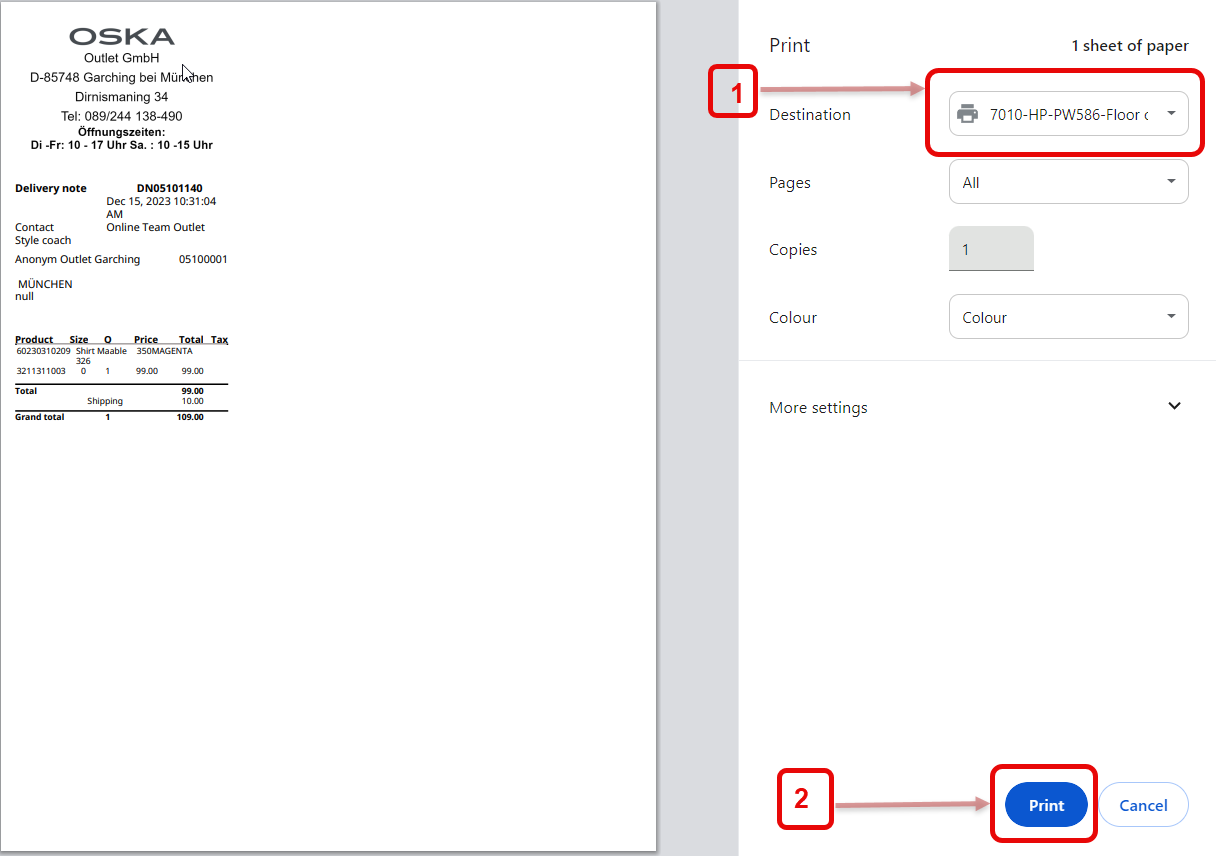
1. Check or select correct printer
2. Print
Continue in chapter: E201 Advanced functions