Deleting cookies
Sometimes it can happen that the system works slowly because your browser has stored too many cookies or outdated cookie files. Clearing these cookies may help improve performance and resolve some web page loading issues. The following instructions guide you through the steps to delete cookies for website in Google Chrome:
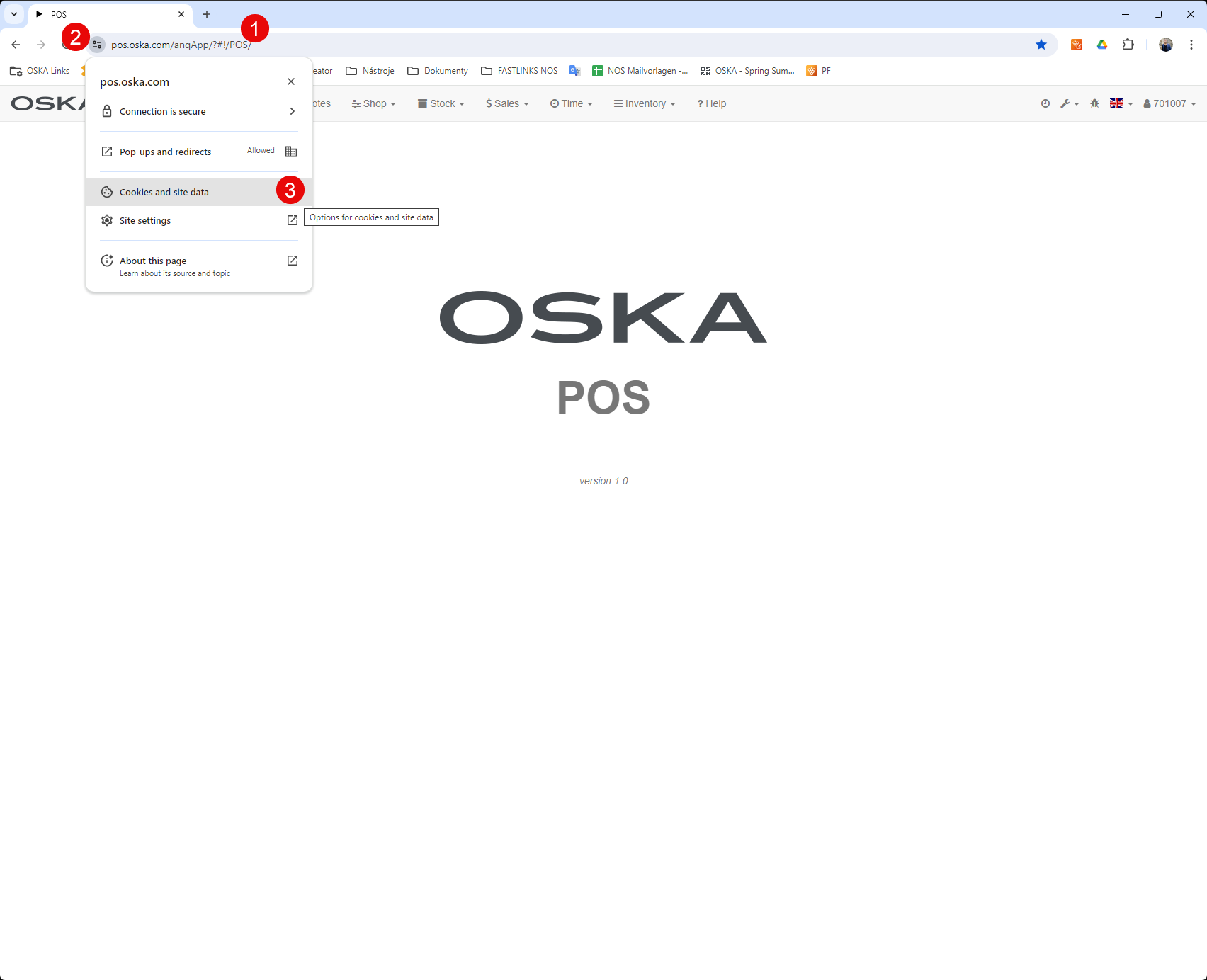
- Go to the specific website (POS, ERP, ..) for which you want to delete cookies.
- Click the "Site information" icon next to the address bar.
- Click on "Cookies and site data" in the drop-down menu.
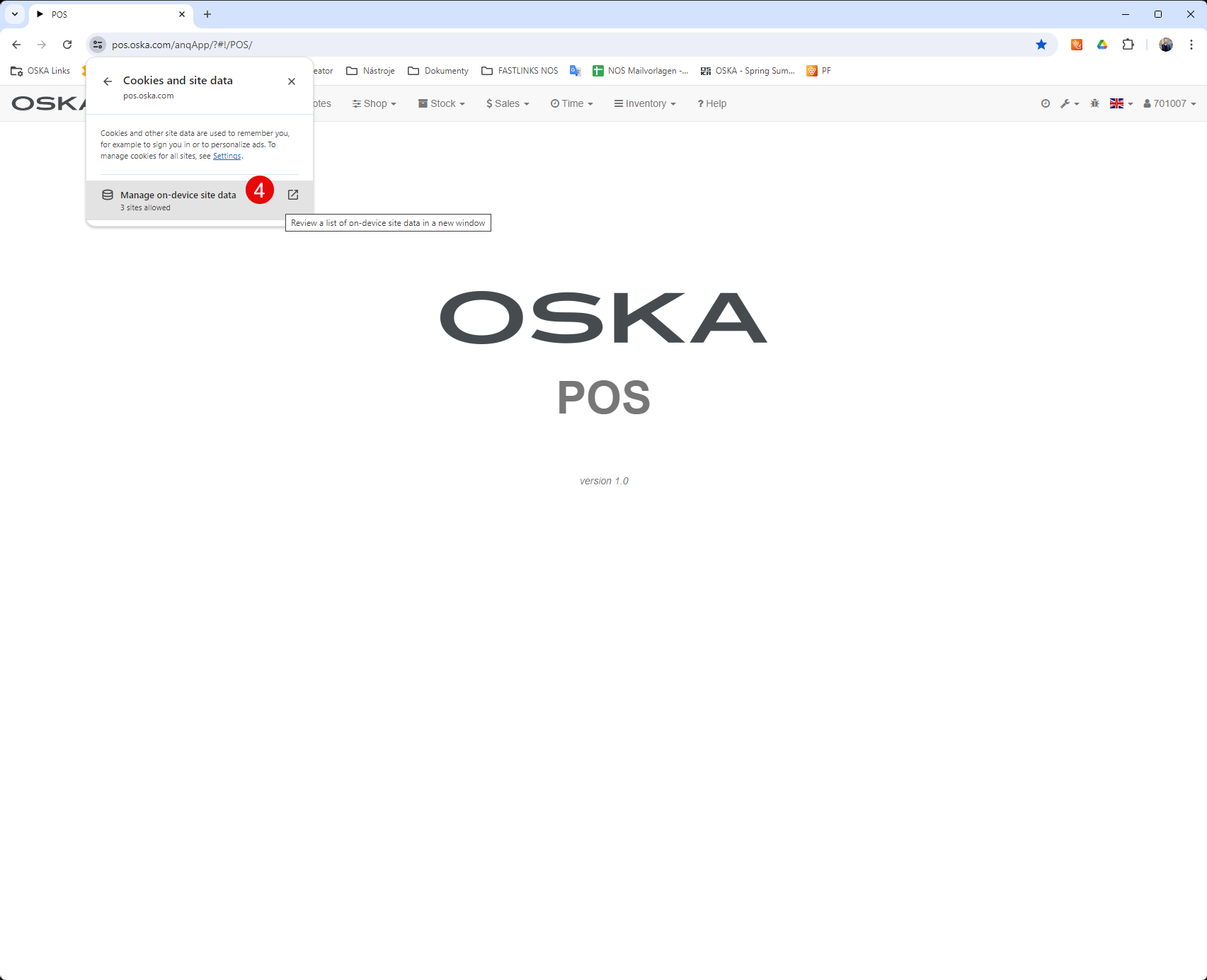
- Click on "manage on-device site data
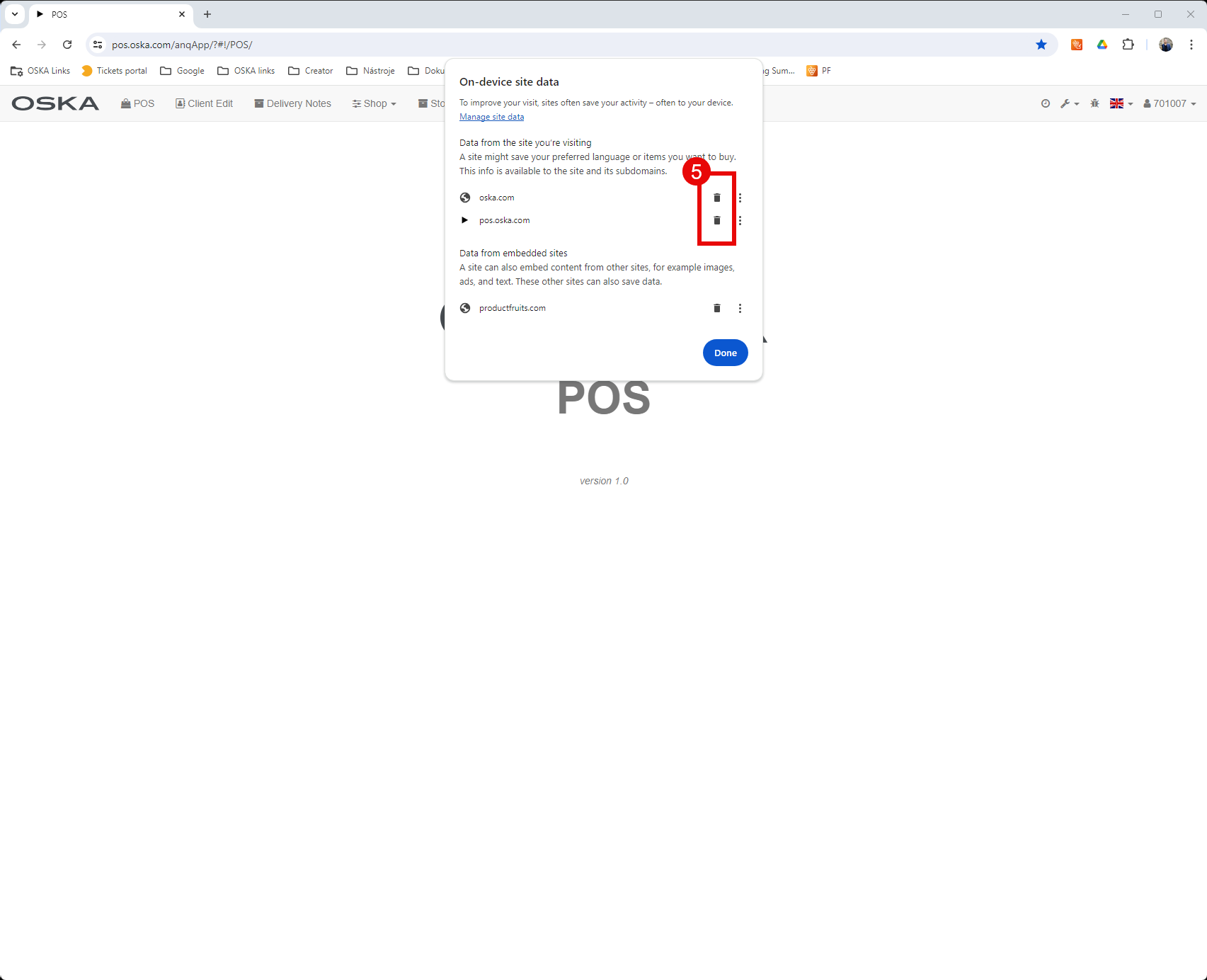
- Select the individual cookies you want to delete, or select the "Remove" option to delete all cookies from this site.
- Confirm the deletion of cookies by clicking "Done".
- To ensure the changes take effect correctly, close and reopen Google Chrome.